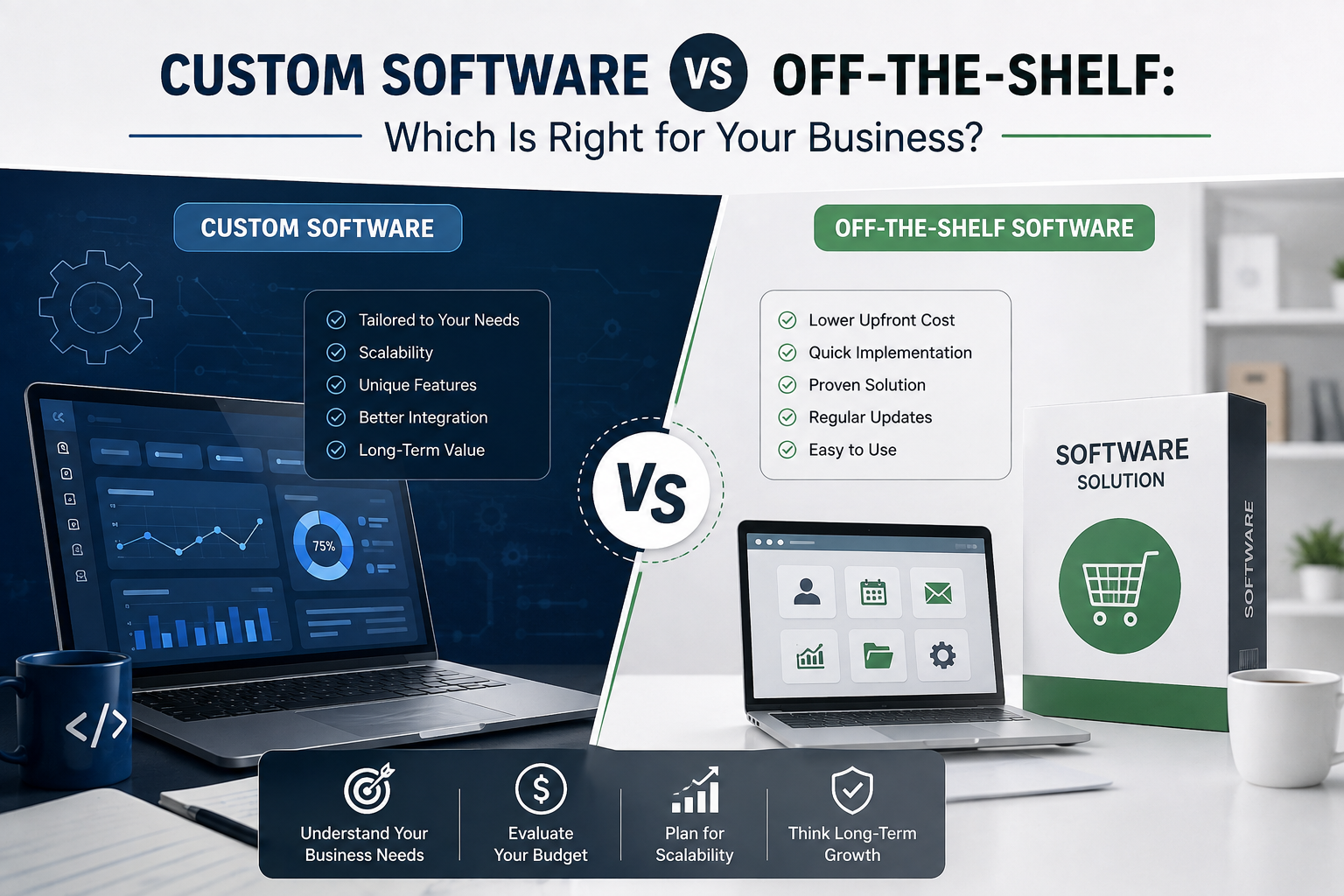
Custom Software vs Off-the-Shelf: Which Is Right for Your Business?
A practical 2026 guide for SMEs, growing companies, startups and established organizations
The cheapest software is not always the least expensive. The best software is the one that fits the way your business actually works.
Picture two business owners facing the same problem. Both have a growing team, more customers, more data and more daily tasks than their existing spreadsheets can handle. The first owner buys a popular software subscription because it is available immediately. Within a week, the team is using it. The second owner decides the business has unusual workflows that no ready-made system handles properly, so the company invests in custom software built around those processes.
Six months later, either owner could be delighted – or frustrated. The off-the-shelf buyer may discover that the system is fast and affordable but forces the team into awkward workarounds. The custom-software buyer may have a system that fits beautifully but required more planning, testing and investment than expected. That is why the real question is not, ‘Which option is better?’ The better question is, ‘Which option is better for this business, this problem and this stage of growth?’
In 2026, that decision matters even more because businesses have more choices than ever: cloud subscriptions, industry-specific platforms, low-code tools, AI-enabled software and purpose-built applications. Microsoft describes custom software as purpose-built applications designed for specific industries or business challenges, while modern SaaS products are generally delivered through the cloud on recurring subscriptions. The two models solve different problems, and choosing well requires looking beyond the purchase price.
Off-the-shelf software asks your business to fit the product. Custom software asks the product to fit your business. |
First, What Is Off-the-Shelf Software?
Off-the-shelf software is a ready-made product created for a broad market. It is designed to solve problems that many businesses share: accounting, email marketing, payroll, project management, customer relationship management, point-of-sale operations, document collaboration and dozens of other common functions. You normally register, choose a package, configure a few settings and start using it.
The subscription model is especially common. Microsoft explains the SaaS business model as cloud-delivered software that customers pay for through recurring fees, often monthly or annually. That model can reduce upfront spending and give customers continuous access to updates and new features. For many standard business needs, that convenience is extremely valuable.
What Is Custom Software?
Custom software – sometimes called bespoke or tailor-made software – is designed around the requirements of a particular organization. Instead of starting with a product and adapting your process to it, developers study how your business works and build features, permissions, integrations, dashboards and automations around that reality.
For example, a logistics company might need a system that connects driver scheduling, route planning, warehouse inventory, proof-of-delivery photos, customer notifications and billing in one workflow. A standard product may handle four of those tasks well but require three additional tools for the rest. A custom solution can be designed to connect the entire journey. Microsoft’s overview of software development companies notes that purpose-built custom applications can address unique goals that off-the-shelf products cannot meet.
Custom Software vs Off-the-Shelf: The Quick Comparison
Decision Factor | Off-the-Shelf Software | Custom Software |
Initial cost | Usually lower | Usually higher |
Deployment | Often fast | Requires discovery, development and testing |
Fit with unique workflows | Moderate to limited | Can be designed around exact processes |
Customization | Usually configuration within vendor limits | Deep customization is possible |
Maintenance | Mainly handled by vendor | Must be planned with developer/internal team |
Integrations | Depends on available connectors/APIs | Can be designed for specific systems and APIs |
Scalability | Depends on plan and platform | Can be architected around expected growth |
Competitive differentiation | Same core product available to others | Can support proprietary processes and experiences |
Control | Vendor controls roadmap and many platform decisions | Greater control over features and roadmap |
Best fit | Common, standardized needs | Unique, complex or strategically important needs |
1. Off-the-Shelf Wins When Speed Matters Most
Sometimes the smartest technology decision is the least dramatic one. If your team needs a proven accounting package next week, building an accounting platform from zero is unlikely to be sensible. Ready-made software has already been designed, tested and deployed for many users. Onboarding can often begin immediately, and documentation, training material and support channels may already exist.
That speed is particularly useful for startups and smaller companies that need to establish basic operations quickly. Imagine a ten-person agency that simply needs task management, invoicing and video meetings. Those functions are not what makes the agency unique. Buying established tools lets the team focus its energy on client service, sales and delivery rather than recreating common infrastructure.
Commercial software can also transfer a large share of maintenance responsibility to the vendor. IBM’s discussion of commercial off-the-shelf products highlights benefits such as vendor-provided support, maintenance, security updates and dedicated development teams. That can be a major advantage when a company has limited internal IT capacity.
2. But “Ready-Made” Often Means Compromise
The strength of off-the-shelf software is also its limitation: it is built for many customers. To remain commercially viable, the product must satisfy a broad range of organizations rather than mirror the exact workflow of one company. That can lead to unnecessary features, missing features or processes that feel almost right but never quite fit.
Suppose a manufacturing business requires approval in this order: production supervisor, quality team, finance and then dispatch. The software it buys supports only a two-step approval process. The company now has four choices: change its process, use email for the missing approvals, buy an add-on, or keep a parallel spreadsheet. Each workaround reduces the simplicity the software was supposed to create.
This is where businesses sometimes make an expensive mistake. They compare only the monthly subscription price and ignore the cost of manual workarounds, duplicate data entry, extra integrations, premium modules and employee frustration. A tool that costs less on the invoice can cost more through inefficiency.
3. Custom Software Wins When Your Process Is Part of Your Advantage
Not every business process should be unique. Payroll, for example, is usually not where a company wants to reinvent the world. But some processes are genuinely strategic. A distributor may have a unique pricing model. A service company may have a proprietary scheduling method. A retailer may combine online orders, warehouse picking and branch transfers in a way that standard systems do not handle well.
When the workflow itself contributes to better service, lower costs or faster delivery, forcing it into generic software can remove the advantage you worked hard to create. Custom development can preserve that difference and convert it into a repeatable digital process. Instead of asking employees to remember dozens of special cases, the software can encode business rules, automate decisions and make the preferred way of working easier to follow.
A useful rule: buy what is common; consider building what makes your business meaningfully different. |
4. Cost Is More Than the Price Tag
The most common argument against custom software is cost, and it is a legitimate concern. Custom development usually requires a greater upfront investment because discovery, user experience design, architecture, coding, testing, deployment and training all have to be done for your organization. Off-the-shelf software spreads development costs across many customers, which is one reason subscriptions can be inexpensive at the beginning.
However, the financial comparison should be based on total cost of ownership rather than the first invoice. For an off-the-shelf platform, calculate subscription fees across several years, per-user charges, premium features, storage, integrations, consulting, migration and the cost of switching later. For custom software, consider initial development, hosting, security, maintenance, enhancements, support and the internal time needed to define requirements.
A business with 15 employees may find a subscription remarkably affordable. The same product can look very different at 500 users if pricing rises per seat and several premium modules are required. Conversely, a custom platform can become expensive if requirements constantly change without governance. Neither option is automatically cheaper. The right answer depends on scale, complexity and how long the software will remain important.
5. Think About Scalability Before Growth Forces the Decision
Software that works for today’s business may become a bottleneck tomorrow. Off-the-shelf platforms often offer higher tiers as a company grows, which is convenient, but businesses should understand what happens when transaction volume, users, branches, products or data increase. Are there usage limits? Does the next tier become disproportionately expensive? Can the platform support multiple countries, currencies, departments or approval structures?
Custom software can be architected around anticipated growth, but that advantage exists only if scalability is discussed early. Poorly designed custom software can become just as restrictive as a packaged product. A responsible development team should therefore ask what the business might look like in two or three years, not merely reproduce today’s spreadsheet in a prettier interface.
6. Integration Can Decide the Winner
Businesses rarely operate one system. Customer data may live in a CRM, invoices in accounting software, files in cloud storage, orders in an e-commerce platform and internal discussions in a collaboration tool. The real value often comes from making those systems exchange information without employees copying it manually.
Off-the-shelf software can be excellent here when it has mature APIs and a large ecosystem of connectors. The fastest solution may be to buy software that already integrates with the rest of your technology stack. But if your company uses specialized equipment, a legacy database, industry-specific software or unusual data flows, standard connectors may not be enough.
Custom software can serve as the missing bridge. It can be designed around specific APIs, databases and business rules so that information moves through the organization in the sequence you actually need. Before deciding, create a simple map of every system the new software must connect with. Integration requirements frequently reveal whether a generic solution will remain simple or become a patchwork of add-ons.
7. Security and Compliance Are Shared Responsibilities
Some business owners assume custom software is automatically more secure because it is private. Others assume large commercial platforms are automatically safer because they have bigger security teams. Both assumptions are too simplistic. Security depends on architecture, development practices, access controls, updates, monitoring, data handling and the competence of the people operating the system.
With reputable commercial software, the vendor may handle infrastructure, patches and much of the security lifecycle. That can reduce operational burden. With custom software, the organization gains more control over how data is stored and how permissions work, but it must ensure that secure development, testing, backups, updates and ongoing maintenance are properly funded. The more sensitive or regulated the data, the more carefully vendor security, contractual responsibilities and technical controls should be reviewed.
8. Ownership, Vendor Lock-In and Control Matter More Than They Seem
When you use an off-the-shelf platform, the vendor typically controls the product roadmap. A feature you love can be changed. Pricing can evolve. An integration can be discontinued. Your business can request improvements, but you usually cannot decide what the vendor builds next.
Custom software can provide far greater roadmap control, but ownership must be addressed clearly in the contract. Who owns the source code? Who owns the data? Can another developer maintain the system later? What documentation will be delivered? Which third-party libraries and cloud services are involved? These questions are not legal trivia. They influence your ability to operate, improve or transfer the software in the future.
The objective is not to eliminate every dependency – modern software always has dependencies – but to understand them. A business should know what would happen if a vendor relationship ended tomorrow.
9. Time-to-Market: Do You Need Software Now or the Right System for Years?
Custom development requires patience because good software begins before coding. Teams need to understand users, map processes, prioritize requirements, design interfaces, test assumptions and validate the product. Skipping those steps to ‘save time’ often creates expensive rework later.
If the business problem is urgent and standard, off-the-shelf usually wins. If the problem is central to operations and current workarounds have already cost the business months or years, taking time to build the right system may be justified. One practical approach is to launch a focused minimum viable product that solves the highest-value workflow first, then expand based on real user feedback rather than attempting to build every imaginable feature at once.
10. Do Not Ignore the People Who Will Use It
Software decisions fail surprisingly often because management evaluates features but not behavior. A technically impressive system provides little value if employees find it confusing, duplicate work outside it or avoid it entirely. Before choosing either route, involve representative users from the departments that will depend on the software.
With off-the-shelf software, run a realistic trial using actual scenarios rather than watching only a sales demonstration. Ask employees to complete common tasks and identify friction. With custom software, involve users in requirements gathering, prototypes and testing. The goal is not to let every employee design the product; it is to make sure the system reflects real work rather than an idealized process described in a meeting room.
11. In 2026, AI Changes the Build-vs-Buy Conversation - But Not the Fundamentals
AI-assisted development tools are making it faster to prototype applications, generate code, test ideas and automate routine development tasks. That can reduce the barrier to creating internal tools, and it is one reason more businesses are reconsidering whether they should buy software or build tailored applications.
But faster code generation does not remove the hard parts of software: understanding requirements, protecting data, designing reliable architecture, integrating systems, testing edge cases, managing permissions, planning maintenance and supporting users. A quickly generated application can still become an expensive liability if nobody owns its long-term quality.
The smarter 2026 question is therefore not ‘Can AI build this?’ It is ‘Should this capability be unique to us, and do we have a responsible plan to operate it?’ AI can change the economics of development, but business fit, risk and strategic value remain the deciding factors.
12. Sometimes the Best Answer Is Hybrid
Custom versus off-the-shelf is not always an either-or decision. A hybrid architecture can combine mature commercial tools for standard functions with custom components where the business needs differentiation. For example, a company might use an established accounting platform but build a custom customer portal that sends approved transactions into it. Another business might use a standard CRM while creating a bespoke pricing engine connected through an API.
This approach avoids rebuilding commodities while still protecting the workflows that create value. It can also reduce development time because the custom solution focuses on the gaps rather than replacing every existing tool. The challenge is architecture: the systems must exchange data reliably, responsibilities must be clear and the overall technology stack should remain understandable rather than becoming a collection of fragile connections.
A Practical Example: The Growing Distribution Company
Imagine a distributor with 80 employees and three warehouses. It uses one system for sales, spreadsheets for stock transfers, WhatsApp for delivery updates and email for credit approvals. Management considers purchasing a larger enterprise platform. The commercial platform covers inventory, sales and finance very well, but its delivery workflow does not match how the company assigns drivers and handles proof of delivery.
The company does not necessarily need to replace everything with custom software. A better option may be to keep the proven accounting and inventory platform and commission a custom operations module for driver scheduling, delivery status, customer notifications and proof of delivery. The custom module exchanges data with the commercial system through approved integrations. The result is a hybrid solution: standardized where standardization saves money, customized where customization removes daily friction.
Now compare that with a five-person startup that needs basic CRM and invoicing. Building a bespoke platform at that stage may distract the founders from finding customers. A subscription product is probably the better choice until the business develops needs that are genuinely distinctive. The same technology answer does not suit every company because the value of customization depends on context.
Eight Questions to Ask Before You Decide
- Is the process common or unique? If thousands of businesses perform the task in almost the same way, a mature product probably exists. If your process is specialized and strategically important, custom development deserves serious consideration.
- What is the real five-year cost? Compare subscriptions, licenses, users, add-ons, integrations and workarounds with custom development, hosting, support and future enhancements.
- How quickly do we need a usable solution? A standard product can often launch quickly. Custom development needs enough time for discovery, design, development and testing.
- Which systems must it connect with? List every database, platform, device and API. Integration complexity can change the decision completely.
- How much growth should the software support? Think about future users, branches, products, markets, transaction volumes and reporting requirements.
- What happens if the vendor changes direction? Understand data export, contracts, pricing dependencies, code ownership and exit options.
- Do we have the capacity to maintain custom software? Custom systems need an ongoing owner, whether that is an internal team or a long-term development partner.
- Does the software create competitive advantage? The more directly the system affects customer experience, operating efficiency or proprietary know-how, the stronger the case for tailoring it.
When Off-the-Shelf Software Is Probably the Better Choice
- You need a common business function such as basic accounting, email, office productivity or standard project management.
- You have a limited budget and need to start quickly.
- Your processes can comfortably adapt to established industry practices.
- The vendor already provides the integrations, security features and compliance capabilities you require.
- Your software requirement is important but does not differentiate your business.
- You do not currently have the resources to manage a custom product lifecycle.
When Custom Software Is Probably Worth Exploring
- Your team relies on repeated manual workarounds because standard tools do not fit the process.
- You need several disconnected systems to behave like one workflow.
- Your process, service model or customer experience is genuinely different from competitors.
- Existing products create expensive per-user, module or integration costs at your expected scale.
- You require specialized permissions, reporting, automation or integrations that packaged products cannot provide cleanly.
- The software will become a long-term strategic asset rather than simply another office tool.
The Bottom Line
Off-the-shelf software is not the ‘cheap option,’ and custom software is not the ‘premium option.’ They are different tools for different problems. Ready-made platforms are powerful when needs are standardized, speed matters and a vendor can provide mature functionality more efficiently than you could build it. Custom software becomes compelling when the business has unique workflows, complex integration needs, long-term scale requirements or strategic processes that should not be forced into a generic template.
The worst decision is choosing based on fashion. Buying a famous platform because everyone else uses it can create years of workarounds. Building custom software simply because it sounds innovative can waste money on functionality that already exists. The best decision begins with the business problem, the users, the data, the integrations and the total cost over time.
Do not ask, “Should we build or buy?” Ask, “Which parts should we buy, which parts should we tailor, and what creates the most business value?” |
If your business is struggling with disconnected spreadsheets, repetitive manual tasks, software that does not match your workflow or systems that refuse to communicate with each other, it may be time to evaluate whether a tailored solution would create real value. KM Software Services works with businesses on software design, web solutions, mobile applications and customized development. Its customized software development services are designed around understanding business requirements and creating solutions that support automation, integration and operational efficiency. The right first step is not committing to a large build; it is defining the problem clearly, reviewing what existing software can already solve and identifying where customization would genuinely improve the way your business works.