
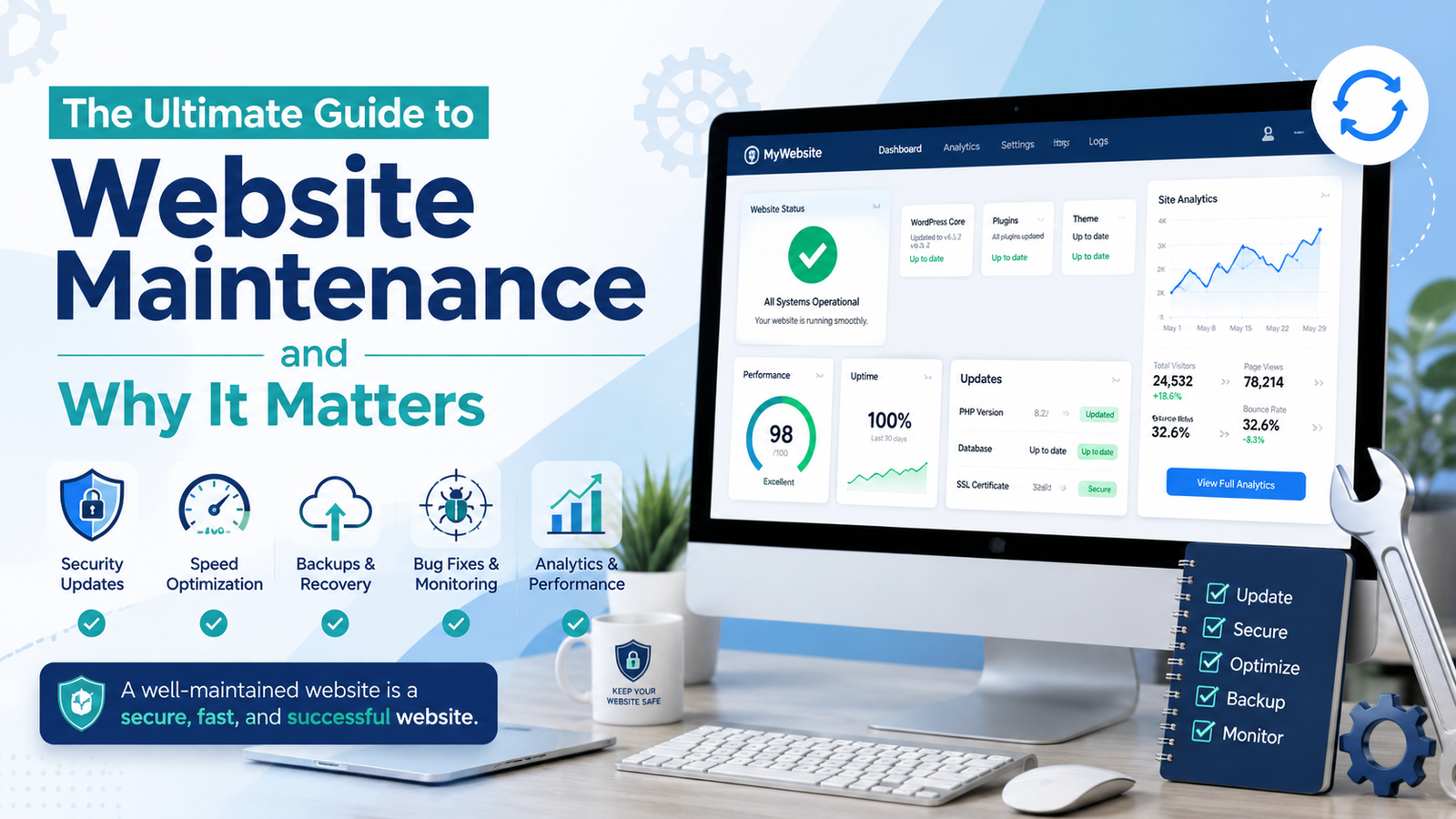
The Ultimate Guide to Website Maintenance and Why It Matters
A practical 2026 guide to The Ultimate Guide to Website Maintenance and Why It Matters
A business website does not stop needing attention after it goes live. Pages can become outdated, plugins can develop compatibility problems, links can break, forms can stop sending enquiries, security risks can change, and performance can gradually decline. That is why website maintenance should be treated as an ongoing business responsibility rather than an occasional technical task.
This becomes even more important when a website supports sales, bookings, customer enquiries, e-commerce, marketing campaigns, or search visibility. A problem that appears small from the technical side can create a very different experience for a customer. A broken contact form may mean lost leads. An expired certificate can create a security warning. A slow landing page can waste advertising spend. An outdated service page can send customers incorrect information.
Good website maintenance is not about constantly redesigning a site. It is about keeping the website accurate, secure, usable, fast, and aligned with what the business is currently trying to achieve. This guide explains what should be checked, why each area matters, how often different tasks need attention, and how businesses can create a practical maintenance process without turning every update into a major project.
What Website Maintenance Actually Includes
Some businesses think maintenance means logging into the website every few months and clicking an update button. In reality, website maintenance covers several areas that work together.
The technical side includes software updates, backups, security checks, uptime monitoring, performance reviews, database work, hosting, and compatibility testing. The customer-facing side includes broken links, forms, mobile usability, outdated information, images, navigation, and important calls to action. Search-related work may include indexing, redirects, metadata, crawl issues, and checking whether important pages remain accessible to search engines.
The exact tasks depend on the website.
A five-page company website does not require the same level of attention as an online store processing hundreds of orders each day. A membership platform with customer accounts has different risks from a static portfolio. The maintenance process should therefore be based on what the website actually does.
1. Keep Your CMS, Plugins, Themes, and Software Updated
Websites are built from software, and software changes.
If a business uses WordPress, for example, the core platform, theme, and plugins may all receive updates. Those updates can introduce new functions, fix bugs, address compatibility issues, or improve security.
The official WordPress Updating Guide recommends keeping WordPress current and also advises creating a backup before an update so that the site can be restored if something goes wrong.
Regular website maintenance should therefore include software updates, but updates should not be treated as blind button-clicking.
Before making a significant change, understand what is being updated. Make sure a usable backup exists. For important websites, changes may first be tested in a staging environment rather than directly on the live site.
After an update, test the areas customers use.
Open the homepage. Submit a contact form. Test checkout if the website accepts payments. Check menus, account areas, search, booking functions, and other important features.
An update can install successfully while still creating a conflict somewhere else.
This is especially important on websites that rely on many third-party plugins. The more components involved, the more opportunities there are for compatibility issues.
Businesses using WordPress can also review KM Software Services WordPress Development for development and support options that include updates, backups, and performance checks.
2. Maintain Reliable Backups
A backup is easy to ignore until the day it becomes necessary.
Websites can fail for many reasons. An update may cause a serious problem. Files may be deleted accidentally. A database may become corrupted. A hosting issue may occur. A security incident may affect the site.
A good backup gives the business a way to recover.
The official WordPress Site Maintenance guidance recommends making backups part of a regular maintenance schedule rather than treating them as a one-time task.
A useful website maintenance process should answer more than, “Do we have backups?”
Ask:
Where are they stored?
How frequently are they created?
How many previous versions are kept?
Does the backup contain both files and the database where relevant?
Can somebody actually restore it?
A backup that has never been tested may create false confidence.
Imagine an online store taking orders every day. A backup from three months ago is technically a backup, but restoring it could remove months of order data and customer changes.
Backup frequency should match how quickly important information changes.
A simple company site that changes once a month may have different requirements from a membership system or e-commerce platform processing transactions throughout the day.
The objective is not simply to create files called “backup.” The objective is to know how the business will recover if something goes wrong.
3. Review Website Security
Security is one of the strongest reasons maintenance needs to continue after launch.
Threats change. Software vulnerabilities are discovered. Old plugins stop receiving updates. Administrator accounts are created and forgotten. Permissions may become too broad. Third-party services can introduce additional risks.
The OWASP Top 10:2025 identifies major web application security categories including broken access control, security misconfiguration, software supply-chain failures, cryptographic failures, injection, authentication failures, and security logging issues.
That does not mean every small business owner needs to become a security engineer.
It means website maintenance should include basic security discipline.
Remove accounts that no longer need access. Avoid giving every user administrator permissions. Use strong authentication. Remove unused plugins and themes. Keep software current. Review suspicious activity. Protect backups. Make sure security certificates and HTTPS remain configured properly.
For websites holding customer accounts, payment information, confidential documents, or other sensitive information, the security process should be more detailed.
Monitoring also matters.
Security is easier to manage when unusual behaviour is noticed early. A sudden increase in failed logins, unexpected file changes, unfamiliar administrator accounts, or unusual redirects should not be ignored.
Security should be proportional to risk, but doing nothing because the website has “never been hacked before” is not a strategy.
4. Monitor Speed and Core Web Vitals
Website performance can decline gradually.
A site that was fast at launch may become slower after months of additional images, plugins, analytics tools, advertisements, videos, scripts, tracking tags, and design changes.
That decline is easy to miss because people inside the company visit the website frequently and may use strong office internet connections.
Customers experience something different.
They may use mobile data, older phones, weaker Wi-Fi, or locations far from the hosting server.
Performance reviews should therefore be part of website maintenance.
Google’s Web Vitals guidance currently focuses its Core Web Vitals on loading performance, interactivity, and visual stability through Largest Contentful Paint, Interaction to Next Paint, and Cumulative Layout Shift.
Businesses do not need to chase a perfect score without context, but poor performance deserves investigation.
Check oversized images.
Review unnecessary scripts.
Look at third-party services.
Check whether caching is working properly.
Review hosting performance.
Remove plugins or components that provide little value.
The important question is how the site feels during real customer journeys.
Open a service page from a phone. Complete a form. Search for a product. Move through checkout. Test an advertising landing page.
A fast homepage does not compensate for a slow payment page.
Performance maintenance is also about preventing regression. If a new feature makes the site noticeably slower, the team should know that before months pass.
5. Find Broken Links and Missing Pages
Links break naturally over time.
An external website changes its URL.
A company removes an old service page.
A product is discontinued.
A blog article is renamed.
Someone changes a permalink without adding a redirect.
The result may be a 404 page instead of the information the visitor expected.
Regular website maintenance should include checking internal and external links, especially on important service, product, navigation, and conversion pages.
The WordPress Site Maintenance documentation specifically recommends checking for dead links and reviewing 404 errors as part of maintaining a site.
Not every 404 is automatically a problem. If a page was intentionally removed and has no replacement, a proper not-found response can be correct.
Problems arise when useful links still send customers to pages that no longer exist.
If a page has moved, redirect the old address to the most relevant new page.
Do not redirect every missing page to the homepage simply because it is convenient.
Google’s site migration guidance recommends mapping old URLs to relevant new destinations and using permanent server-side redirects where appropriate. It also advises avoiding unnecessary redirect chains.
From the customer’s perspective, the rule is simpler: a link should lead somewhere useful.
6. Check Search Visibility and Indexing
A website can appear perfectly normal to a customer while having search-related problems in the background.
Important pages may accidentally contain noindex instructions.
A robots.txt change may prevent crawling.
A sitemap may contain old URLs.
A migration may create redirect problems.
Pages may start returning server errors.
Structured data can break.
This is why search monitoring belongs in website maintenance, especially for businesses that depend on organic traffic.
Google Search Console provides information on how Google crawls, indexes, and serves a website. Google recommends using it to review indexing issues, search performance, security problems, and Core Web Vitals.
You do not need to stare at Search Console every day.
Instead, establish a routine.
Review it after important website changes and periodically check for unusual trends.
If traffic suddenly falls, investigate before assuming that demand has disappeared.
Check whether important pages remain indexed.
Look for technical errors.
Confirm that redirects are working.
Review impressions and clicks.
Search visibility can be affected by many factors, so one graph rarely provides the complete answer. But monitoring gives the business a chance to identify technical problems before they continue unnoticed.
Google’s technical requirements for Search also explain that pages need to be accessible, return suitable HTTP responses, and contain indexable content to be eligible for indexing.
7. Keep Content Accurate and Current
Technical health is only half the job.
A website can load perfectly and still damage the business if the information is wrong.
Old prices, discontinued services, former employees, expired promotions, outdated opening hours, incorrect phone numbers, old certifications, broken social links, or inaccurate policies can all reduce trust.
Content review therefore belongs in website maintenance.
Begin with the pages customers are most likely to see.
Check the homepage.
Review every major service page.
Check contact details.
Review the About page.
Update FAQs.
Verify pricing or product information.
Look at downloadable brochures and PDFs too. Businesses sometimes update the website while leaving old documents available through search engines or existing links.
Blog content also needs attention.
An article published several years ago may still attract visitors but contain old statistics, outdated screenshots, discontinued tools, or advice that is no longer accurate.
Updating useful existing content can sometimes provide more value than publishing another article covering almost the same topic.
The goal is not to change pages simply to make them look active.
Update information when doing so makes the site more accurate, useful, and trustworthy.
8. Test Forms, Checkout, Bookings, and Important Actions
One of the most expensive website problems can be almost invisible.
Imagine that a contact form stops sending email.
Visitors continue filling it in.
They see a success message.
The company receives nothing.
From the customer’s side, an enquiry has been submitted. From the business side, demand appears to have disappeared.
This is why website maintenance should include testing important actions from beginning to end.
Do not only check whether the form visually appears on the page.
Submit it.
Confirm that the message reaches the correct inbox or CRM.
Test confirmation emails.
Check spam filtering.
If the site has checkout, complete a test transaction where practical.
If customers schedule appointments, follow the booking journey.
If the website offers downloads, open them.
If telephone numbers are supposed to be clickable on mobile, test them from a phone.
If WhatsApp is an important sales channel, verify the link.
Important integrations should also be monitored. A CRM, payment processor, email platform, map, API, or booking system can change independently of the website.
The customer does not care which system caused the problem.
They only know that the process did not work.
9. Test Mobile and Browser Compatibility
Customers use a wide range of devices.
Your website may look excellent on the desktop computer used by the design team but behave differently on a small phone, tablet, large monitor, or another browser.
Regular website maintenance should therefore include basic compatibility testing, especially after major design, theme, plugin, or code changes.
Check navigation.
Make sure buttons are easy to tap.
Look for text extending outside containers.
Test popups.
Review forms.
Check tables.
Open important landing pages in portrait and landscape where relevant.
Pay particular attention to customer journeys rather than inspecting every decorative detail.
If most customers arrive through mobile advertisements, the mobile landing page and enquiry process deserve priority.
Accessibility should also be considered during ongoing changes. A new banner, plugin, form, or visual redesign should not make the website harder for keyboard users, screen-reader users, or people who need larger text.
Maintenance protects the experience that was originally designed.
Without it, small changes can slowly introduce friction.
10. Review Hosting, Domain, DNS, and HTTPS
Some of the most important parts of a website are rarely visible until they fail.
The domain must remain registered.
DNS records must point to the correct services.
Hosting must remain active and suitable for the site’s traffic.
HTTPS needs a valid certificate.
Email records may need to remain correctly configured.
A payment failure or expired domain can take an entire site offline.
Infrastructure checks should therefore form part of website maintenance, even when those services renew automatically.
Make sure renewal payment details are current.
Know which company controls the domain.
Confirm who has access to the registrar.
Keep recovery information updated.
Avoid allowing important infrastructure to remain tied to the personal email account of a former employee or outside developer.
Hosting should also be reviewed as the website grows.
A plan that handled a small brochure site may become unsuitable after the business adds e-commerce, heavy traffic, large media files, or complex applications.
The infrastructure should support the business the website has become, not only the website that was launched several years ago.
How Often Should a Website Be Maintained?
There is no single schedule for every company.
The right frequency depends on how complex the site is, how frequently content changes, how much revenue depends on it, how sensitive its data is, and how quickly a failure would affect customers.
A useful website maintenance schedule separates tasks by urgency.
Critical uptime and security issues may need continuous or automated monitoring. Backups may run daily or more frequently on transactional websites. Software updates should be reviewed when available rather than saved for one annual maintenance day. Forms and key conversion journeys can be tested monthly. Content and broken links may be reviewed quarterly, although high-volume publishers need more frequent checks.
A practical schedule might look like this in normal business use:
Frequency | What to Review |
Continuous/Automated | Uptime, security alerts, critical server problems |
Daily or Weekly | Backups, depending on how often site data changes |
Weekly/Monthly | Software updates, errors, performance, important integrations |
Monthly | Forms, checkout, booking journeys, Search Console, analytics |
Quarterly | Content accuracy, broken links, user accounts, plugins, mobile UX |
Every 6–12 Months | Hosting suitability, domain access, wider UX review, old content, architecture |
The important part of website maintenance is not copying this schedule exactly. It is assigning responsibility.
Someone needs to know that the checks are happening.
The Cost of Ignoring Maintenance
Maintenance can feel like an expense when everything is working.
The value becomes clearer when something fails.
A broken enquiry form can cost leads.
A slow checkout can affect sales.
A hacked site can damage customer trust.
An expired domain can make the business disappear online.
An outdated plugin can break after another component changes.
A missing redirect can waste traffic that an old page earned over years.
Outdated contact details can send customers to the wrong person.
The cost is not always a technical repair bill.
It can include wasted advertising, lost search visibility, missed enquiries, customer frustration, staff time, emergency developer fees, and reputational damage.
Preventive work is usually easier to manage than emergency work.
Common Website Maintenance Mistakes
One of the biggest website maintenance mistakes is assuming that automatic updates mean the whole site is being maintained.
Automation is useful, but it does not know whether your contact form stopped delivering messages or whether a new plugin made the mobile menu confusing.
Another mistake is updating a live site without a reliable backup.
Businesses also keep unused plugins and inactive administrator accounts for years because nobody wants to remove something that “might be needed later.”
Another problem is checking only the homepage.
The most commercially important problem may be hidden on a checkout page, campaign landing page, booking screen, or service form.
Some businesses also wait until customers report problems.
Customers rarely report everything. Someone who reaches a broken page may simply return to Google and choose a competitor.
Maintenance works best when it is proactive.
Should You Handle Maintenance Internally or Outsource It?
The answer depends on the business.
A company with an internal technical team may be able to manage website maintenance without outside support. The important point is that specific responsibilities are assigned rather than assuming somebody will notice when something goes wrong.
Smaller companies may prefer outside support because they do not need a full-time website specialist.
When outsourcing, ask what the service actually includes.
Does the provider perform backups?
Are backups tested?
Are software updates included?
What happens if an update breaks the site?
Is uptime monitored?
Are security checks included?
Are content changes covered?
How quickly are urgent problems handled?
Is performance reviewed?
The word “maintenance” can describe very different levels of service.
Choose according to business risk rather than only the cheapest monthly price.
Final Thoughts
A website is a working business system, not a finished brochure placed online and forgotten.
Its software changes.
Its integrations change.
Customer expectations change.
Search engines change.
The business itself changes.
Regular website maintenance helps keep those moving parts aligned. Updates protect compatibility. Backups provide recovery. Security checks reduce unnecessary risk. Performance monitoring protects the customer experience. Content reviews keep information trustworthy. Form testing protects lead generation. Search monitoring helps identify indexing problems. Infrastructure checks reduce the risk of preventable downtime.
The objective is not to constantly modify the website.
It is to make sure the site continues doing the job it was built to do.
A well-maintained website should remain fast, functional, accurate, secure, easy to use, and ready to support the business as it grows.
Need Help Keeping Your Website Running Properly?
Building a professional website is only the first stage. KM Software Services provides ongoing support and website maintenance alongside web development, hosting, backups, security hardening, bug fixes, uptime monitoring, and performance support. KMSS also provides Web Development Services and WordPress Development Services for businesses that need new development, improvements to an existing website, or continued technical support after launch. KM Software Services currently lists routine updates, backups, security hardening, bug fixes, and uptime monitoring among its maintenance services.
Useful Website Maintenance Resources
WordPress Updating Guide — official guidance on WordPress updates, backups, automatic updates, and troubleshooting.
WordPress Site Maintenance Guide — practical guidance covering updates, dead links, backups, and routine site checks.
Google Search Console Guide — official guidance for monitoring indexing, search performance, security issues, and Core Web Vitals.
Google Core Web Vitals — guidance for assessing loading performance, interactivity, and visual stability.
OWASP Top 10:2025 — an authoritative overview of major web application security risks.
Google Site Migration Guide — useful when URLs, domains, redirects, or website infrastructure are being changed.
KM Software Services Web Development — web development and ongoing WordPress support from KM Software Services.
KM Software Services WordPress Development — WordPress development, updates, backups, performance checks, and support.
KM Software Services Blogs — more practical resources covering website development, maintenance, UI/UX, SEO, and digital technology.