
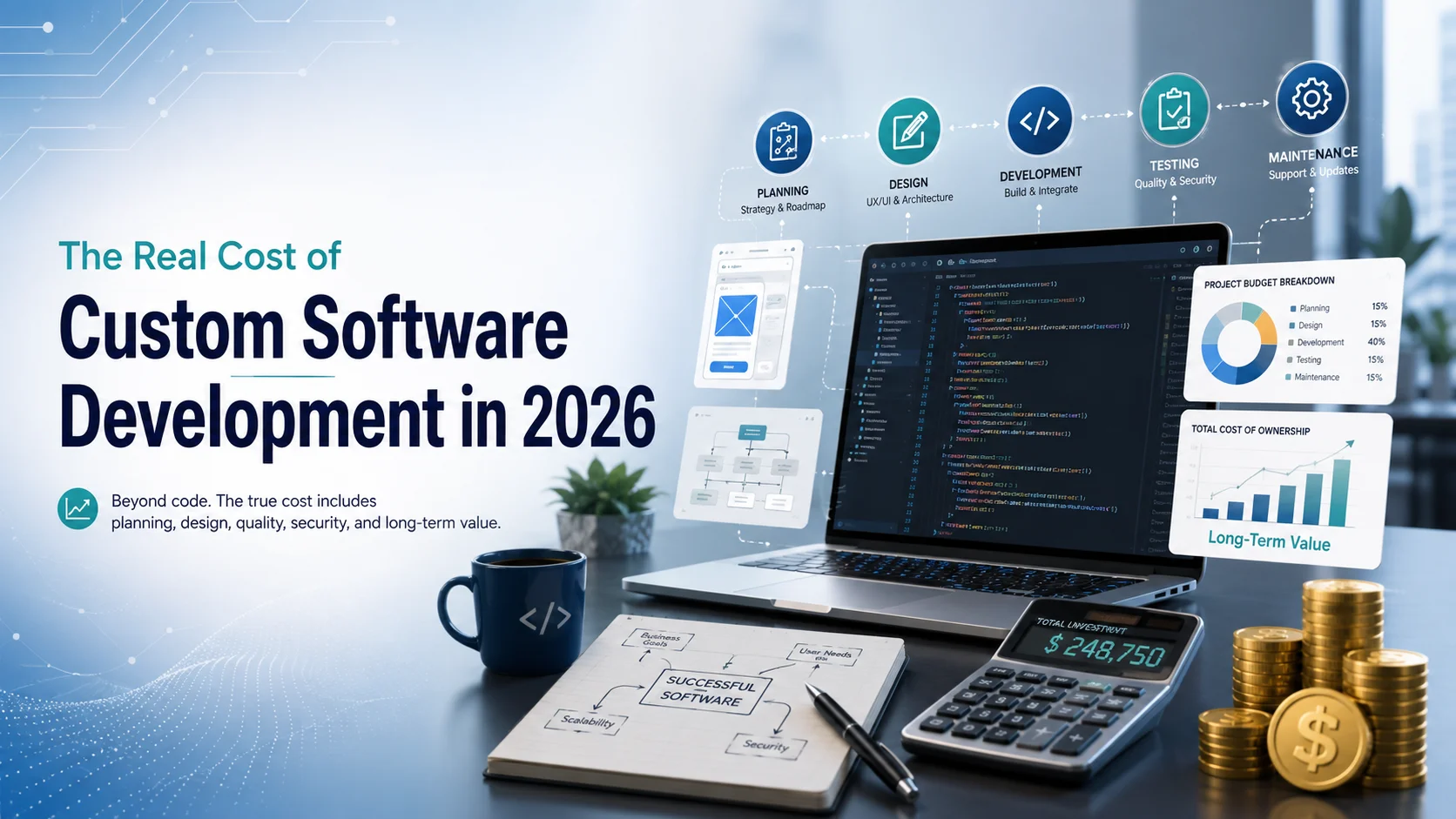
The Real Cost of Custom Software Development in 2026
Ask three software companies what a custom system will cost and you may receive three very different answers. One quote may be twenty thousand dollars. Another may be eighty thousand. A third may go above two hundred thousand. The difference does not always mean one company is overpriced. It usually means the project has been understood, scoped, staffed, and priced in different ways.
That is why the real cost of custom software development in 2026 cannot be explained by one number. Price depends on what the software must do, how many users it will serve, which systems it must connect with, how secure it must be, how quickly it must launch, and what level of support will be needed after release.
Current market data shows how wide the range can be. The Clutch 2026 pricing guide reports that many reviewed custom software projects fall between ten thousand and forty nine thousand dollars, while the average project cost in its review data is more than one hundred thirty two thousand dollars. GoodFirms reports that most medium projects in its 2026 survey fall between thirty thousand and one hundred thousand dollars, with large and enterprise work moving well beyond that level.
Those figures are useful benchmarks, not quotations. A business should not ask only, “How much does custom software development cost?” A better question is, “What are we paying for, what will make the budget increase, and what will the software save or earn if it works properly?” This guide breaks that answer down in practical terms.
What Businesses Are Actually Paying in 2026
The first useful step is to separate small experiments from serious operational systems. A basic proof of concept, internal tool, or limited minimum viable product may sometimes stay below thirty thousand dollars when the workflow is narrow and integrations are simple. GoodFirms found that 14.1 percent of surveyed companies placed small projects under thirty thousand dollars, usually with delivery windows of one to three months.
Medium projects form the largest part of the market. In the same GoodFirms survey, 65.7 percent of respondents placed medium projects between thirty thousand and one hundred thousand dollars, often with three to six months of work. This level can include customer portals, business automation platforms, mobile applications, booking systems, reporting tools, and software with several user roles.
Clutch provides another useful view. Its July 2026 data lists an average reviewed project cost of 132,480.29 dollars and an average project timeline of about thirteen months. The same source says many development companies listed on its platform charge around twenty five to forty nine dollars per hour, although rates vary strongly by location and specialization.
Cost Driver 1: Discovery and Scope
The cheapest place to make a software decision is before coding begins. Discovery defines the business problem, users, workflows, features, integrations, data requirements, risks, and success measures. When this work is weak, development teams make assumptions. Assumptions later become revisions, and revisions cost money.
Scope also determines whether a quote is meaningful. “Build a customer management system” is not a complete requirement. How many user roles exist? Can customers log in? Are there automated emails? Is there invoicing? Does it connect to accounting software? Are dashboards required? Can records be imported? Does the company need an audit trail? Each answer changes the work.
Clutch recommends defining expectations and budget clearly when preparing software estimates. Its 2026 estimating guidance also emphasizes identifying work that sits outside the agreed scope. That matters because unclear boundaries can turn a controlled project into a sequence of unplanned additions.
Cost Driver 2: Design and User Experience
Design is more than choosing colors. Custom software needs screens, navigation, forms, dashboards, user journeys, error states, mobile behavior, accessibility decisions, and rules for how people move through tasks. The more workflows the product contains, the more design work is required.
Design cost also rises when several user groups have different needs. An HR platform may have employees, managers, recruiters, payroll staff, and administrators. A project management platform may need client views, staff views, management dashboards, permissions, notifications, and reporting. These are not simply extra screens. They are separate experiences that must remain consistent.
Cutting design completely can look like a saving at the beginning. It often moves the cost into development, where changes are more expensive. Developers may build a feature, stakeholders may see it working, and only then realize that the workflow is confusing. Reworking code after implementation usually costs more than improving a prototype before implementation.
Cost Driver 3: The Engineering Team
The development team is usually the largest direct cost. A small project may use one or two developers with part time design, testing, and project management. A larger system may need backend engineers, frontend engineers, mobile developers, quality assurance staff, a designer, a project manager, a DevOps specialist, and a technical architect.
Team seniority matters as much as team size. A senior engineer usually costs more per hour, but an experienced person may solve architecture, performance, integration, or security problems much faster. The lowest hourly rate is not automatically the lowest project cost.
Location also changes rates. Accelerance reports 2026 outsourcing ranges in which junior developers in Asia are roughly twenty four to thirty one dollars per hour, while senior roles are around thirty one to forty one dollars. Its European ranges are higher, with senior developers around sixty four to seventy six dollars per hour. Latin American senior rates are reported around sixty to seventy five dollars per hour.
Clutch shows a similar location effect. Its 2026 guide lists common company rates of fifty to ninety nine dollars per hour in the United States, twenty five to forty nine dollars in India and Ukraine, and one hundred to one hundred forty nine dollars in Canada and Australia.
Cost Driver 4: Integrations and Data Migration
Custom software rarely works alone. A business may need payment gateways, accounting systems, email platforms, cloud storage, maps, identity services, messaging tools, customer relationship software, inventory systems, or existing internal databases. Every connection adds development and testing work.
Data migration can be an even larger cost. Moving ten thousand clean customer records is very different from merging years of spreadsheets, duplicate records, missing fields, inconsistent names, old databases, and documents stored across several locations. Before migration, teams may need to clean, map, validate, transform, test, and reconcile the data.
Businesses often underestimate this work because the data already exists. Existing data is not automatically usable data. If poor records are moved into a new platform without review, the new system starts with old problems.
Cost Driver 5: AI and Automation Features
Artificial intelligence can reduce some engineering effort, but AI features can also increase the cost of the product itself. GoodFirms reports that more than ninety percent of companies in its 2026 survey use AI in planning, coding, or testing to improve development efficiency. At the same time, its survey places small AI powered projects in a higher cost range than many basic software builds.
The reason is simple. Using AI to help a developer write code is different from building AI into the product. Product features may require model selection, prompt design, data preparation, retrieval systems, privacy controls, evaluation, monitoring, usage limits, human review, and ongoing API or infrastructure costs.
Businesses should therefore ask whether AI creates measurable value. Adding it only because competitors mention AI can inflate the budget without improving the product. A better approach is to identify a specific task, estimate how much time or revenue the feature could affect, test it on a controlled scale, and expand only if the results justify the cost.
Cost Driver 6: Quality Assurance, Security, and Compliance
Testing is one of the easiest items to underestimate because users only notice it when something fails. Quality assurance covers more than checking whether a button works. Teams may need functional testing, browser testing, mobile testing, permission testing, performance testing, regression testing, integration testing, and user acceptance testing.
The cost rises when software handles money, health information, personal data, confidential company records, or large transaction volumes. Security work can include access controls, encryption, logging, secure configuration, vulnerability review, backup planning, and incident procedures.
Skipping testing can reduce the initial invoice, but defects often become more expensive after launch. A bug found before release may require a developer fix and a test. The same bug in production can create customer support work, damaged data, emergency engineering, lost sales, and reputational harm.
Cost Driver 7: Cloud, Deployment, and DevOps
After the application is built, it needs somewhere to run. Cloud infrastructure may include servers, databases, storage, backups, monitoring, content delivery, security services, email delivery, logging, and separate development or testing environments.
AWS describes cost optimization as a continuous process across the life of a workload. Its guidance recommends reviewing usage, selecting appropriate resources, managing demand, and optimizing over time. That is important because cloud cost is not only a hosting bill. Architecture decisions can create waste if resources are oversized, duplicated, or left running without review.
A cheap deployment that depends on one developer remembering manual steps may work for an early prototype. It is a weak foundation for business critical software. A realistic budget includes both the cost to launch and the cost to operate reliably.
The Hidden Cost After Launch
The first release is not the end of custom software spending. Real users discover new needs. Browsers and mobile operating systems change. External services update their interfaces. Security issues appear. Business rules evolve. Data grows. Employees request better reports. Customers expect improvements.
Maintenance can include bug fixes, performance work, dependency updates, server management, backups, monitoring, support, minor feature changes, and security patches. Product growth adds another layer because new features require design, development, testing, and release management.
Businesses should also budget for internal adoption. Staff may need training, process documentation, data preparation, user support, and time to adjust workflows. A technically successful system can still fail if employees do not understand why it exists or how to use it.
Another hidden cost is technical debt. Rushed code, weak documentation, poor architecture, or shortcuts may reduce the first invoice but make every later change slower. That is why the real cost should be measured over several years rather than only until launch day.
How Scope Creep Changes the Budget
Scope creep happens when requirements expand after work has started without a matching change in budget, schedule, or priorities. GoodFirms reports that projects experiencing scope creep can see costs increase by roughly ten to twenty five percent. That increase is believable because a new feature rarely affects only one developer.
The best way to control scope is not to reject every new idea. It is to make tradeoffs visible. When a new feature is requested, decide whether it replaces something already planned, moves to a later phase, changes the deadline, or increases the budget.
A prioritized backlog helps. Features can be separated into essential launch requirements, valuable improvements, and future ideas. This protects the core business outcome while leaving room for learning.
Fixed Price, Time and Material, or Dedicated Team?
Pricing model changes how risk is shared. A fixed price works best when requirements are clear, stable, and testable. The vendor prices a defined scope and takes responsibility for delivering that scope within the agreement. If the business expects many changes, fixed pricing can become restrictive because every change requires review.
Time and material pricing is more flexible. The client pays for the actual team time used. This model fits products where requirements will evolve after testing or user feedback. The risk is that cost is less predictable unless priorities, progress, and spending are reviewed regularly.
A dedicated team model gives the client a stable group of people for ongoing development. It can work well when software is a continuing business capability rather than a one time project. The business gains continuity and product knowledge, but must manage a recurring monthly commitment.
Clutch identifies all three models, along with hourly pricing, as common approaches in 2026. None is automatically cheapest. The right choice depends on how much uncertainty exists and how much flexibility the business needs.
A Practical 2026 Budget Example
A realistic plan could place discovery and specification at five to ten percent of the budget. Design may use another ten to fifteen percent. Core engineering can take forty five to fifty five percent. Testing, deployment, migration, project management, and launch work can use the remaining amount. The exact percentages will change by project, but the exercise forces the company to budget for more than coding.
If the total build is estimated at eighty thousand dollars, the business should not assume eighty thousand is the lifetime cost. It should plan separate funds for cloud services, ongoing maintenance, support, security updates, and later improvements.
This example is not a price quote from KM Software Services. It is a budgeting framework that helps a buyer understand where money usually goes and which questions should be answered before signing a development agreement.
How to Reduce Cost Without Buying Cheap Software
The best way to reduce cost is to reduce unnecessary work, not necessary quality. Start with the business problem. If the software cannot clearly save time, reduce errors, improve service, increase capacity, or create revenue, the project may not be ready.
Build the smallest version that proves the important workflow. A focused first release can reduce design, engineering, testing, and training costs. Additional features can be added after real users show what matters.
Reuse reliable services when custom development creates no competitive advantage. Authentication, payments, email delivery, file storage, analytics, and infrastructure do not always need to be built from zero. Buying a dependable component can be cheaper than owning its maintenance forever.
Finally, choose a partner based on total value. KM Software Services positions customized software development around business requirements, quality assurance, communication, and ongoing support. The cheapest quote is useful only if the finished system is stable, maintainable, and capable of supporting the business.
When Custom Software Is Worth the Investment
Custom software is not always the right answer. If a standard product already handles the workflow well, buying or configuring that product may be faster and cheaper. Custom development becomes more attractive when the business has processes that standard tools cannot support without heavy manual work or repeated compromises.
The financial case should compare build cost with the cost of the current problem. If employees lose hundreds of hours each month, errors create refunds, reporting takes days, or disconnected tools require multiple subscriptions and manual transfers, the status quo has a cost too.
A useful decision looks beyond the first year. Estimate expected savings, additional capacity, reduced errors, faster service, and new revenue over three to five years. Then compare those benefits with development, operation, maintenance, and change costs.
What to Ask Before Accepting a Software Quote
A professional quote should make the assumptions visible. Ask exactly which features are included, which user roles are covered, which integrations are included, who is responsible for data migration, how testing will be handled, and what happens when requirements change.
Ask who will work on the project and what roles are included in the rate. A low hourly rate can become expensive if project management, testing, design, or architecture are billed separately or missing entirely.
Confirm ownership of source code, design files, documentation, accounts, and deployment access. Understand hosting costs and any third party subscriptions. Ask what support is included after launch and how future changes will be priced.
The purpose of these questions is not to force every vendor into the same price. It is to make different proposals comparable. Two quotes can only be compared fairly when they are solving the same problem with a similar level of responsibility.
Final Thoughts
The real cost of custom software development in 2026 is not one hourly rate or one project number. It is the combined cost of discovery, design, engineering, integrations, data, testing, security, deployment, cloud infrastructure, project management, maintenance, and future change.
Current market benchmarks show why budgets vary so widely. Some focused projects stay below thirty thousand dollars. Many medium projects fall between thirty thousand and one hundred thousand dollars. Large and enterprise systems can move above one hundred thousand or two hundred thousand dollars, especially when they involve complex integrations, strict security, high scale, or advanced AI features.
The lowest quote is not automatically the best value, and the highest quote is not automatically the safest choice. A strong estimate explains what is being built, who is building it, how quality will be protected, which assumptions are being made, and what costs continue after launch.
The best software budget starts with a business outcome. Define the problem clearly. Prioritize the first release. Keep scope visible. Review working software often. Plan for maintenance. Measure total cost over time. This distinction matters greatly.
Need a Practical Software Cost Review?
If your business is considering a new platform, internal system, web application, mobile application, or automation project, the first useful step is to define the problem before committing to a large build. KM Software Services provides customized software development for businesses and works across web applications, mobile solutions, cloud based systems, and ongoing support.
A practical consultation can help clarify the required workflows, essential features, integrations, user roles, data needs, delivery stages, and likely technical risks. This creates a stronger basis for estimating cost and deciding whether a custom build, phased product, or simpler solution makes financial sense.
You can learn more about KM Software Services and its customized software development services
Why Store Planning Should Start Before Development Ends
App-store submission is not simply a case of uploading a file and waiting for approval.
The stores ask for developer information, app metadata, screenshots, privacy details, support links, content ratings, testing information, and other declarations. Some requirements can also affect how the app itself is designed.
For example, teams may need to prepare reviewer login access, accurate privacy disclosures, account-deletion functions, subscription management, or particular permission explanations before the final build is ready.
The practical lesson from App Store vs Google Play is simple: create the store-launch checklist while development is still active.
Businesses planning a new mobile product can also review KM Software Services Mobile App Development while defining the design, development, testing, integration, and launch requirements of the project.
1. Developer Accounts: Keep Ownership With the Business
Before either platform can distribute an app publicly, the business needs the appropriate developer account.
Apple’s Developer Program currently costs USD 99 per membership year. Apple also states that organizations enrolling in the program generally need to provide legal-entity information and a D-U-N-S Number.
Google’s Play Console guidance lists a USD 25 one-time registration fee for a standard developer account. Google distinguishes between personal and organization accounts and uses verification requirements during registration.
The cost difference is easy to understand. The ownership issue is more important.
A common mistake is allowing a freelancer, temporary developer, or external agency employee to create the production developer account under their personal details simply because it is faster.
That can create serious inconvenience later. The developer account controls app listings, releases, team access, financial information, certificates, production settings, and other important assets.
When comparing App Store vs Google Play, founders should treat both accounts as company assets.
Use company-controlled email addresses where possible. Keep recovery details secure. Document who has administrator access. Give development partners the permissions they need without transferring ownership of the account itself.
Changing developers should not mean losing control of your app.
2. Review Is More Than a Technical Check
Apple reviews apps, updates, in-app purchases, and related submissions through App Store Connect. Its official App Review Guidelines cover areas including safety, performance, business models, design, privacy, and legal requirements. Apple also advises developers to prepare complete, functional submissions and provide the information reviewers need.
Google Play also reviews apps against its developer policies and Play Console requirements before production distribution.
Founders should not build the entire launch plan around an assumption that approval will happen immediately.
The important App Store vs Google Play lesson is to make the product understandable from the reviewer’s perspective.
If the app requires login, provide working credentials. If a feature is available only to a particular type of account, explain how the reviewer can reach it. If the application relies on a backend service, make sure the service is running during review.
Remove placeholder text. Check the support and privacy links. Test the main flows. Make sure screenshots and descriptions match the product reviewers will actually see.
Imagine a founder has already booked advertising, arranged influencer posts, sent a press release, and promised early customers that the app will be available on Monday.
If a reviewer discovers that the supplied login account does not work, a small issue can suddenly affect the entire campaign.
Submission day and public launch day should therefore not automatically be treated as the same date.
Leave room for review questions, corrections, and resubmission.
3. Testing Requirements Can Change the Launch Schedule
Testing is necessary on both platforms, but the systems are different.
Apple provides TestFlight for beta testing. It allows teams to distribute test versions before the product becomes publicly available.
Google Play provides internal, closed, and open testing tracks through Play Console. Google currently requires personal developer accounts created after November 13, 2023 to complete a closed test with at least 12 testers opted in continuously for at least 14 days before applying for production access.
That requirement can directly affect a launch date.
A founder who creates a new personal developer account one week before the planned Android release may discover that the app cannot move into production on the expected schedule.
This is why App Store vs Google Play planning should begin when the developer accounts are created, not when the final build is uploaded.
Store-required testing should also be considered the minimum rather than the complete quality-assurance strategy.
Ask real people to create accounts, recover passwords, use search, make payments, receive notifications, deny permissions, and complete the main customer journey.
Test the product on multiple devices.
Test weaker internet connections.
Test what happens when the application is sent to the background and reopened.
Test failed payments and interrupted uploads.
Test the app after updating from an older version.
The objective is not simply to satisfy a store requirement. It is to prevent customers from discovering problems that the development team could have identified first.
4. Privacy Disclosures Need Real Technical Input
Privacy is one of the areas where founders should avoid guessing.
Apple requires developers to provide App Privacy details describing information collected by the app and relevant third-party partners. Apple specifically notes that developers need to understand the practices of third-party SDKs and other integrated services when answering these questions.
Google Play uses its Data safety process to communicate how applications collect, share, and protect user information.
These declarations should not be completed only by looking at the visible interface.
An analytics service may collect information in the background. A crash-reporting tool may transmit device data. An advertising SDK may use identifiers. A login provider may process account information.
For a reliable App Store vs Google Play submission, create a simple data map before completing either store form.
Write down:
- What information users enter directly.
- What information the application collects automatically.
- Which third-party SDKs are installed.
- Whether location, camera, microphone, contacts, photos, health information, or device identifiers are accessed.
- Why each type of information is required.
- Which external systems receive the data.
- How long important information is retained.
- How users can request deletion where applicable.
The privacy policy should match the real product.
The store disclosure should match the privacy policy.
The technical team should be able to explain the data flows behind both.
Privacy is not only a compliance issue. It affects trust. If a simple calculator app asks for precise location and contact access without a clear reason, users may question the product before they even reach its main feature.
5. Your Store Listing Is Part of the Sales Journey
The app-store page is often the final step between interest and installation.
A user may see the app name, icon, screenshots, description, ratings, reviews, and privacy information before deciding whether the product deserves space on their phone.
Apple’s current App Store Connect guidance limits an app name to 30 characters and its subtitle to 30 characters.
Apple also advises developers not to stuff metadata with unrelated or misleading phrases simply to influence discovery.
The App Store vs Google Play difference here goes beyond character limits. The platforms provide different listing structures and merchandising opportunities, so one set of assets should not automatically be copied across without review.
Start with a simple question:
What does this app help the customer do?
Build the listing around that answer.
If the app helps small businesses send invoices, say that clearly.
If it helps parents manage school transport, show that.
If it allows customers to book medical appointments, do not make the first screenshot a generic welcome screen.
The first screenshots should communicate value quickly.
Descriptions should also be written for users rather than developers.
“Built with scalable microservices and modern APIs” might be important internally, but it does not tell the average customer why the app is worth installing.
The same principle applies to websites and other digital products. UI/UX Best Practices to Improve Website Conversion Rates explains how clarity, navigation, speed, and reduced friction can strengthen the customer experience.
6. Monetization Needs to Be Planned Early
Mobile apps can make money in many different ways.
A product may use subscriptions, paid downloads, one-time digital upgrades, advertising, physical products, bookings, marketplace transactions, or services delivered outside the application.
The platform rules that apply can depend on what the user is purchasing, where the transaction takes place, and which market the business operates in.
That is why App Store vs Google Play monetization should be discussed before the payment flow is fully developed.
Map every paid action.
What exactly is the customer buying?
Is it a digital feature used inside the app?
Is it a physical product?
Is it a real-world service?
Is payment recurring?
Can the purchase be restored on another device?
What happens if payment succeeds but the application does not immediately receive confirmation?
Do not simply copy the payment journey used by another app and assume the same rules apply.
Platform payment policies can change and may differ by region or product category. The development team should therefore confirm current requirements when building and again before launch.
Billing is not just a button at the end of development.
It affects account design, backend systems, customer support, refunds, analytics, pricing, and revenue reporting.
7. Account Creation Also Means Planning Account Deletion
Founders naturally spend more time thinking about signup than exit.
The business wants customers to create an account quickly, finish onboarding, and start using the product.
However, if the app allows users to create accounts, account deletion also requires attention.
Apple requires apps supporting account creation to allow users to initiate account deletion from within the app. Google Play similarly requires apps that allow account creation to provide a clear deletion route, including an in-app path and an external web resource.
This matters in App Store vs Google Play planning because deletion can require real product and backend development.
The team needs to define what “delete my account” actually means.
Which personal information is removed?
Which transaction records need to be kept for legitimate legal or financial reasons?
What happens to user-generated content?
What happens to active subscriptions?
How is the request confirmed?
The process also needs to be reasonably easy to find.
A customer should not be able to create an account in thirty seconds but need three emails and a support ticket to close it.
Planning this during development is much easier than adding it after a store review identifies the problem.
8. Release Controls Need Clear Ownership
Approval does not always mean that a build needs to reach every customer immediately.
Google Play provides separate testing and production tracks, while Apple manages testing and production through tools such as TestFlight and App Store Connect. Google also lets developers prepare production releases after required setup and testing steps are complete.
The operational side of App Store vs Google Play becomes particularly important as the audience grows.
Imagine a major update introduces a payment problem.
Who notices first?
Who can stop marketing?
Who checks crash reports?
Who prepares the fix?
Who responds to customers?
Who has permission to release an emergency update?
A founder does not need to perform every task personally, but each task should have an owner.
A good launch plan covers both situations: everything works as expected, and something important goes wrong.
App Store vs Google Play: Quick Founder Comparison
Area | Apple App Store | Google Play |
Developer account | Apple Developer Program | Play Console developer account |
Standard fee | USD 99 per membership year | USD 25 one-time registration fee |
Beta testing | TestFlight | Internal, closed, and open testing |
New personal-account testing | No equivalent 12-tester rule | Certain newer accounts require 12 testers for at least 14 continuous days |
Privacy disclosure | App Privacy details | Data safety section |
Main management system | App Store Connect | Play Console |
Store listing | Apple-specific product-page fields | Google Play store listing |
Release process | Review and release controls | Testing, review, and production rollout |
Founder priority | Prepare ownership, metadata, privacy, and review access early | Prepare ownership, testing, privacy, verification, and production access early |
This table makes App Store vs Google Play easier to scan, but store policies should always be checked again shortly before release.
Requirements evolve.
A launch checklist written a year ago should not automatically be treated as current.
9. Should You Launch on Both Platforms at the Same Time?
A simultaneous iOS and Android launch can make sense, but it is not mandatory for every company.
Start with the audience.
Which devices do your target customers use?
Which countries are you targeting?
What did your beta-user data show?
Does the product depend on network effects?
Does the business have enough development and support capacity to handle two launches?
A consumer marketplace may need both platforms early because buyers and sellers can use different devices.
A specialist B2B product used by a small group of corporate clients may be able to start with one platform.
The App Store vs Google Play decision should therefore follow customer behaviour rather than the founder’s personal device preference.
Launching both platforms also means supporting both.
Testing needs to cover both ecosystems.
Screenshots and store information need preparation.
Platform-specific issues may appear.
Customer-support teams need enough information to distinguish an Android problem from an iOS problem.
If the business has enough resources, a coordinated release can provide stronger market coverage.
If resources are limited, one platform can be used to learn before expanding.
10. Cross-Platform Development Does Not Merge the Stores
Cross-platform frameworks can reduce duplicated development work.
They do not turn Apple and Google into one distribution system.
A shared codebase may still require separate builds, permissions, certificates, store records, screenshots, testing, privacy declarations, review responses, and releases.
For non-technical founders, this is one of the most important App Store vs Google Play expectations to understand.
“Build once” does not mean “submit once.”
The application still needs to be tested on real iOS and Android devices.
Permissions can behave differently.
Notifications may require different configuration.
Store policies remain separate.
Payments can have platform-specific requirements.
Cross-platform development can therefore be an efficient engineering decision without eliminating platform-specific launch work.
Businesses comparing development approaches can review KM Software Services and its Mobile App Development services when planning native, hybrid, or cross-platform projects.
11. Approval Does Not Mean You Have Product-Market Fit
Getting approved feels like a major milestone.
It is.
But it does not prove that customers want the app.
The stores mainly decide whether the product can be distributed under their requirements. They do not validate the business model, pricing, acquisition strategy, retention, onboarding, or customer demand.
After launch, monitor what users actually do.
How many installs become completed registrations?
How many users reach the main feature?
Where do people leave?
Which devices experience crashes?
Are payments failing?
Which support issue appears repeatedly?
How many users return a week later?
The post-launch App Store vs Google Play comparison can also reveal meaningful differences between audiences.
Perhaps Android users complete onboarding more often.
Perhaps iOS customers are more likely to subscribe.
Perhaps one platform has a device-specific crash.
Perhaps one store listing converts much better than the other.
Use that information to improve the product.
Do not respond to poor retention by immediately buying more installs.
If onboarding is confusing, more advertising simply sends more people into the same problem.
12. Common Founder Mistakes Before Launch
Several problems appear repeatedly because teams focus almost entirely on building the application.
One mistake is creating developer accounts too late.
Verification, account setup, and testing requirements can affect the schedule.
Another is letting the wrong person own production accounts.
A development company can manage the technical work without owning the business’s distribution identity.
Another common mistake is leaving privacy work until the end.
Data disclosures should reflect the real SDKs, services, and integrations inside the product.
Weak reviewer access is another avoidable problem.
If reviewers cannot log in or reach important functionality, the team creates unnecessary friction.
Store assets are also often rushed.
Screenshots, descriptions, and icons are part of the acquisition process. They should not be treated as decoration.
Finally, founders sometimes announce a public date with no space for review feedback or technical corrections.
A realistic App Store vs Google Play launch plan includes testing, submission, possible changes, release, and post-launch monitoring.
A Practical Pre-Launch Checklist
Before submitting to either store, review the following areas.
Developer Ownership
Confirm that the business controls the accounts, recovery details, billing information, and administrator permissions.
Production Build
Test the real release candidate rather than relying only on development builds.
Main Customer Journeys
Check registration, login, password recovery, account deletion, permissions, payments, subscriptions, notifications, search, and the application’s main feature.
Reviewer Access
Prepare working test credentials and clear instructions where necessary.
Privacy
Map data collection and sharing. Review third-party SDKs. Make sure the privacy policy and store declarations are accurate.
Store Listing
Finalize the app name, icon, screenshots, descriptions, support links, categories, ratings, and localized assets where required.
Testing
Complete internal and external testing as appropriate and confirm any account-specific production requirements.
Monetization
Test purchases, subscriptions, failed payments, cancellation, and restoration where relevant.
Release Operations
Assign owners for analytics, crash monitoring, reviews, customer support, payments, and emergency fixes.
Marketing
Coordinate paid campaigns, announcements, and launch activity with the actual approval and release process.
A strong checklist turns the launch into a controlled business process rather than a stressful final task.
What Happens After Launch?
The first public version is only the beginning.
Real customers use combinations of devices, networks, accounts, accessibility settings, and behaviours that the development team cannot fully reproduce.
Monitor crashes.
Read support tickets.
Watch reviews.
Measure onboarding.
Check payment failures.
Review which features customers actually use.
Store information also needs maintenance.
If the app begins collecting new information, review the privacy declarations.
If a major feature changes, consider updating screenshots and descriptions.
If customer support moves to a new page, make sure the store listing still points to the correct place.
Both ecosystems continue to evolve, so store management should remain part of the product roadmap after launch.
A successful application is not only built well.
It is distributed, monitored, maintained, and improved well.
Final Thoughts
Founders naturally spend most of their energy on features, design, development, and funding.
However, distribution can still determine whether the planned release happens smoothly.
The most useful way to approach App Store vs Google Play is to treat both stores as part of product operations.
Create developer accounts early.
Keep ownership with the business.
Understand the testing requirements that apply to your account.
Prepare reviewer access.
Map privacy accurately.
Build account controls into the product.
Plan monetization before the final development stage.
Prepare store assets before launch week.
Leave time for review and corrections.
Assign people to monitor the product after release.
The objective is not simply to get an app approved.
The objective is to be ready when real customers arrive.
Planning Your Mobile App Launch?
Launching on iOS and Android involves much more than completing the codebase. Design, testing, platform requirements, privacy, integrations, store preparation, release management, and maintenance all influence the final result. KM Software Services provides mobile application and custom software development support for businesses building new digital products or improving existing systems. Founders can also explore Mobile App Development when planning the route from requirements and UI/UX through development, testing, and launch.
Useful Mobile App Launch Resources
These resources are useful to keep available during development and submission:
- Apple App Review Guidelines — official guidance covering the requirements Apple applies during app review.
- Apple App Privacy Details — official guidance for understanding and declaring app data practices.
- Apple Developer Program Membership — current information about membership, enrollment, and organization accounts.
- Google Play Testing Requirements — official guidance on testing requirements for newer personal developer accounts.
- Google Play User Data and Account Deletion Policy — official rules covering user data and account deletion.