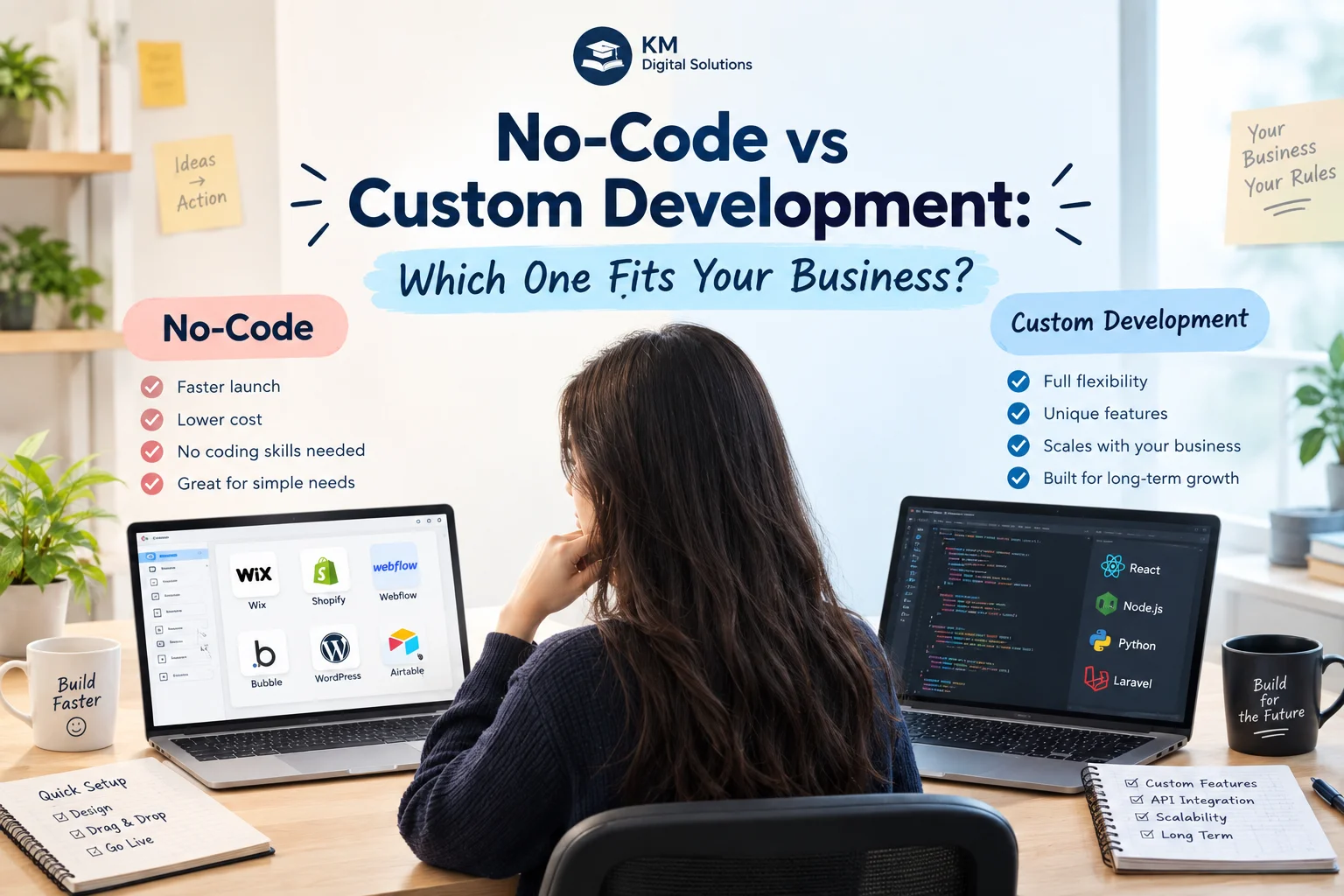
No-Code vs Custom Development: Which One Fits Your Business?
A practical 2026 guide to choosing the fastest sensible path – without creating a technology problem you will regret later
The real question is not “Can no-code build it?” |
A growing business needs a new internal system. One team wants a custom platform. Another says, “Why spend months coding when we can build it in a no-code tool this week?” Both arguments sound reasonable – and both can be right.
No-code platforms have changed software development by allowing teams to create forms, workflows, dashboards, databases, portals, and business applications using visual tools instead of writing every component by hand. Google AppSheet describes itself as a true no-code platform that can create applications and automated processes without writing code, while Microsoft Power Apps now combines drag-and-drop development, generative AI, connectors, and custom code in the same ecosystem. In other words, the line between no-code, low-code, and traditional development is becoming less rigid.
At the same time, no-code does not make architecture, security, data quality, user experience, integration design, or long-term product ownership disappear. A system can be quick to build and still be difficult to scale. Custom software can offer deep flexibility and control, but it can also be wasteful when a simpler platform already solves the problem.
That is why the decision should not be ideological. “No-code is the future” is too simplistic. “Real businesses need custom code” is equally outdated. The right choice depends on the business problem, complexity, users, data, integrations, compliance, budget, timeline, and expected life of the system.
This guide breaks down those trade-offs in practical business language and shows when no-code is the smarter option, when custom development becomes justified, and when a hybrid approach gives you the best of both.
First, What Counts as No-Code, Low-Code, and Custom Development?
No-code platforms let people build applications through visual interfaces, rules, templates, workflows, data connections, and prebuilt components with little or no traditional programming. Their main advantage is abstraction: the platform handles much of the technical plumbing so a business user, analyst, or product team can focus on the workflow.
Low-code platforms sit between no-code and full custom development. IBM describes low-code as an approach that uses visual development, reusable components, workflows, and templates while still allowing developers to add code when requirements become more advanced. In practice, many modern platforms now move along a spectrum rather than fitting into a single box.
Custom development means a team designs and builds the application around the organisation’s requirements using programming languages, frameworks, databases, APIs, cloud services, and other technical components. It offers far more freedom, but that freedom creates responsibility: someone must design, test, secure, deploy, monitor, and maintain the product.
No-Code vs Custom Development at a Glance
Factor | No-code | Custom development | What it means for the business | Likely winner |
Speed | Very fast for supported use cases | Slower because design and engineering are tailored | Important when validating or automating quickly | No-code |
Upfront cost | Usually lower | Usually higher | Budget difference can be significant in early stages | No-code |
Flexibility | Limited by platform capabilities | Very high | Matters when workflows or UX are unusual | Custom |
Scalability | Can be strong, but platform-dependent | Can be architected around expected scale | Depends on traffic, data, workflows, and architecture | Depends |
Integrations | Fast when connectors exist | Can integrate through almost any viable API/system | Legacy and unusual systems may change the decision | Custom |
Ownership/control | Platform dependency | More control over source code and architecture | Important for strategic products and long life cycles | Custom |
Maintenance | Platform handles much infrastructure | Your team/vendor manages more of the stack | Convenience vs control trade-off | No-code |
Security/governance | Can be strong on mature platforms, but constrained by platform model | Can be designed for specific security needs | Risk depends on implementation, data, and governance | Depends |
Specialised UX | Moderate to limited | Highly customisable | Important for customer-facing differentiation | Custom |
1. Choose No-Code When Speed Matters More Than Uniqueness
No-code is strongest when the business problem is clear, the workflow is relatively standard, and speed matters. An operations team might need an inspection app, an approval process, a leave-request system, a lead-tracking tool, a simple client portal, or a field-data collection workflow. If a mature platform already has the required building blocks, custom development may be unnecessary.
This is especially useful during validation. A startup that wants to test whether customers will use a booking marketplace does not necessarily need a complex custom platform on day one. A no-code prototype can test registration, listings, bookings, notifications, and payment interest before the founders commit to a larger engineering budget.
Speed also matters for internal tools because the system does not need to become the company’s competitive advantage. If finance needs a structured approval workflow to replace email and spreadsheets, a visual platform may solve 90 percent of the problem in a fraction of the time.
Best no-code mindset |
2. Choose No-Code When the Workflow Is Standard and Well Understood
No-code works best when the system follows recognisable patterns: forms, lists, approvals, notifications, task routing, data capture, simple dashboards, basic customer portals, and workflow automation. These are exactly the patterns many platforms are designed to accelerate.
Google AppSheet, for example, supports business applications across project management, operations, field work, HR, sales, and marketing. Microsoft Power Apps similarly targets finance, operations, frontline work, customer service, HR, and other business processes. That does not mean every workflow in those categories is automatically a no-code fit, but it shows how broad the supported use cases have become.
The warning sign appears when the business starts fighting the platform. If every requirement needs a workaround, hidden automation, custom script, complex expression, or third-party extension, the supposed simplicity begins to disappear.
3. Choose Custom Development When the Software Is Part of Your Competitive Advantage
If the software is central to how your company competes, a platform’s limits matter more. A SaaS startup, digital marketplace, logistics platform, fintech product, healthcare system, specialist analytics engine, or customer-facing product often needs control over how the application behaves and evolves.
Imagine two logistics companies. One needs an internal driver checklist and photo-capture tool. No-code may be ideal. The other differentiates itself through dynamic route optimisation, live pricing, complex customer rules, real-time tracking, carrier integrations, and predictive capacity planning. That is no longer a simple workflow app. The software itself is part of the commercial proposition.
Custom development gives the organisation control over the experience, data model, integrations, performance, roadmap, and architecture. It also makes it easier to create features competitors cannot reproduce simply by configuring the same platform.
4. Choose Custom Development When the Workflow Has Too Many Exceptions
Simple workflows look clean on a whiteboard: request, approve, process, complete. Real businesses often contain exceptions. A request may require different approval levels based on value, region, department, customer type, product category, contract status, or risk score. Some users may have temporary permissions. Certain records may need to trigger multiple systems at once.
No-code platforms can handle surprisingly sophisticated logic, but complexity eventually has a cost. A process built from hundreds of conditions and visual flows can become difficult to understand, test, and maintain. At that point, the platform may still technically support the workflow, but the system is no longer simple.
Custom code can model complex business rules more deliberately, create reusable services, use automated tests, and expose the logic in a structure designed for professional maintenance.
5. Look Closely at Integrations Before You Decide
Integrations can make or break the no-code decision. If the required systems already have strong connectors, the platform can save enormous time. If your stack includes Google Workspace, Microsoft 365, mainstream CRMs, cloud databases, and widely supported SaaS products, integration may be straightforward.
Problems appear with legacy systems, private APIs, unusual authentication, proprietary data formats, high-frequency transactions, or business-critical two-way synchronisation. A no-code connector can be useful for simple events but may not give enough control over retries, error handling, rate limits, transformations, or monitoring.
Before choosing a platform, list every system the application must communicate with and classify the integration as native connector, standard API, custom API, file transfer, direct database connection, or manual. One unusual integration can change the economics of the entire project.
6. Consider Data Volume, Performance, and Scale
A system that works perfectly with 2,000 records and 25 users may behave differently with 20 million records, complex reporting, thousands of concurrent sessions, or real-time event processing. Platform limits are not necessarily bad – every technology has limits – but you need to know whether your expected workload fits comfortably inside them.
Ask about record limits, API calls, automation frequency, file storage, concurrency, background processing, database options, response times, reporting, and pricing as usage grows. A low initial cost can become less attractive if usage-based pricing rises sharply at scale.
Custom development does not automatically guarantee scalability. Poorly designed custom software can perform worse than a mature managed platform. The advantage is that a strong engineering team can choose an architecture specifically for the workload instead of accepting a platform’s default model.
7. Think About Security and Governance as a Business Requirement
No-code does not mean insecure. Mature enterprise platforms can provide authentication, access controls, data policies, auditing, backup options, and central governance. Microsoft, for example, highlights data-loss prevention, environment policies, access, auditing, backup, and resiliency as part of its Power Apps platform.
The challenge is fit. A business handling sensitive health, financial, legal, identity, or regulated data may need specific controls around encryption, logging, retention, regional hosting, access separation, vulnerability management, or integration security. Some platforms can satisfy these requirements; others cannot.
Custom software creates more freedom but also more responsibility. NIST’s Secure Software Development Framework emphasises integrating security practices into the software life cycle rather than treating security as a final-stage add-on. When comparing approaches, do not ask only, “Which is more secure?” Ask, “Which gives us the controls, evidence, ownership, and governance this risk level requires?”
8. Ownership and Vendor Lock-In Matter More for Long-Lived Systems
A no-code application usually depends on the platform that created it. That can be completely acceptable. Businesses already depend on cloud providers, email platforms, accounting software, and payment processors. The issue is whether the dependency is understood.
Ask what happens if pricing changes, a feature is discontinued, the business outgrows the platform, the provider changes terms, or you want to move the application elsewhere. Can the data be exported cleanly? Can the workflow logic be reproduced? Can custom components be migrated? How much of the solution is portable?
Custom development offers greater ownership when the contract gives the business control over the source code, repositories, infrastructure accounts, documentation, and data. However, custom software can still create vendor lock-in if the code is poorly documented or only one developer understands it. Ownership is not just a legal clause; it is operational maintainability.
9. The Cheapest Option Today May Not Be the Cheapest Over Three Years
No-code often wins on upfront cost because teams reuse platform capabilities instead of engineering them from scratch. But total cost of ownership includes subscriptions, user licences, premium connectors, automation usage, data storage, support, add-ons, training, and the cost of workarounds.
Custom software usually requires a larger initial investment, but the ongoing cost model may be more controllable once the product is stable. You still pay for hosting, maintenance, monitoring, security updates, support, and future development, but you are not necessarily paying a platform licence for every user or workflow.
The correct comparison is therefore not build cost versus monthly subscription. Estimate the likely three-year or five-year cost of each path under realistic growth. Include migration risk. A system that must be rebuilt in 18 months is not cheap just because the first version was inexpensive.
A Practical Cost-of-Ownership Checklist
- Platform or hosting fees
- Per-user or per-app licensing
- Premium connectors and integrations
- Storage and data usage
- Automation or transaction usage
- Implementation and configuration
- Custom development or extensions
- Training and administration
- Security and compliance work
- Support and maintenance
- Future enhancements
- Migration or rebuild cost if the business outgrows the solution
10. User Experience Can Push the Decision Toward Custom
Internal users will often accept a standard interface if it saves them time. Customers are less forgiving. If the application is part of your public brand, a rigid or generic interface may affect trust, conversion, and differentiation.
No-code platforms increasingly allow significant design flexibility, but they still operate within component systems and platform conventions. If your product depends on unusual interactions, complex visualisation, advanced accessibility behaviour, high-performance mobile experiences, custom animations, or deeply branded journeys, full custom development may be easier to control.
Do not overvalue custom design either. A beautifully unique interface has no business value if users simply need to approve invoices quickly. Match UX investment to the importance of the experience.
11. When No-Code Is the Better Business Decision
- You need to validate an idea before investing heavily.
- The system is an internal productivity tool rather than your main product.
- The workflow is based on forms, approvals, notifications, records, or standard automation.
- Your required integrations are already supported.
- You need a solution in days or weeks rather than months.
- A business team needs to maintain and change the workflow without a full engineering team.
- The expected user count, data volume, and security requirements fit comfortably within the platform.
- You accept platform dependency in exchange for speed and managed infrastructure.
12. When Custom Development Is the Better Business Decision
- The software is central to your product or competitive advantage.
- Your workflows contain complex rules, permissions, exceptions, and integrations.
- You need full control over the user experience.
- You expect significant scale, performance demands, or specialised data processing.
- Your security, privacy, compliance, or audit requirements require deeper control.
- You need unusual APIs, legacy-system integration, or real-time architecture.
- Platform licensing becomes expensive at your expected scale.
- The product has a long roadmap that would repeatedly push against platform limitations.
- You need stronger ownership and portability of code, architecture, and infrastructure.
The Option Most Businesses Forget: Hybrid Development
Many projects do not need a pure answer. A hybrid approach can use no-code or low-code for the parts that benefit from speed and custom code for the parts that require deeper control.
For example, a custom customer-facing platform might use a no-code administrative dashboard for internal teams. A custom backend might expose APIs to a low-code workflow application. A company might prototype the process in AppSheet or Power Apps, validate it with users, then build a custom product once the workflow is proven. Or a low-code platform may remain the long-term solution while professional developers add custom components around difficult integrations.
This approach is increasingly realistic because modern low-code platforms openly support professional developers and custom connectors. Microsoft’s current Power Apps positioning, for example, explicitly combines pro code, low code, no code, and AI-generated application development within one platform.
A Worked Example: Field-Service Company
A regional maintenance company has 30 technicians. Jobs arrive by email and phone. Coordinators assign work in a spreadsheet. Technicians send photos through WhatsApp. Finance waits for completion evidence before invoicing. Management wants a “custom mobile app.”
The first assessment shows that the business needs job intake, technician assignment, status updates, photo capture, customer signatures, and a simple dashboard. The workflow is standard, user numbers are modest, and the company already uses Google Workspace. A no-code field-service app could be a sensible first solution.
Six months later, the company wins contracts requiring customer portals, automated SLA calculations, complex pricing, ERP integration, offline synchronisation, subcontractor permissions, route optimisation, and white-labelled experiences for enterprise clients. The original tool now needs dozens of workarounds.
At that point, a custom platform may become justified. Notice what changed: not the idea that no-code was “bad,” but the business requirements. The first solution created value quickly. The next stage requires greater control.
Another Example: Startup Marketplace
A founder wants to launch a marketplace connecting specialist consultants with small businesses. Before product-market fit is proven, the key questions are whether buyers will request services, whether consultants will join, and which matching criteria matter.
A no-code MVP can test landing pages, profiles, enquiry forms, scheduling, payments, and notifications without a large engineering team. If usage remains small, the platform may continue serving the business for a long time.
If the marketplace begins to scale and needs dynamic pricing, sophisticated matching, real-time availability, multiple currencies, fraud controls, complex payouts, recommendation algorithms, and native mobile experiences, the economics change. A custom architecture can then be justified by proven demand rather than founder optimism.
A Simple Decision Scorecard
Question | Mostly yes points toward | Why | Score yourself 1-5 |
Is the workflow standard and easy to describe? | No-code | Platforms are strongest on repeatable patterns |
|
Do native connectors cover most integrations? | No-code | Reduces custom engineering |
|
Is speed more important than perfect flexibility? | No-code | Rapid delivery creates early value |
|
Is the software your core product or differentiator? | Custom | Control and roadmap matter more |
|
Are business rules highly complex? | Custom | Logic becomes hard to manage visually |
|
Do you need unusual or real-time integrations? | Custom | Deeper API control is valuable |
|
Will scale or usage become very large? | Custom / verify platform | Capacity and pricing need modelling |
|
Are security/compliance needs specialised? | Custom / enterprise low-code | Control and evidence matter |
|
Do you require highly differentiated UX? | Custom | Interface constraints may become limiting |
|
Could you accept platform lock-in for speed? | No-code | Dependency is part of the trade-off |
|
What to Ask Before Approving No-Code
- What are the platform’s user, data, API, storage, and automation limits?
- Which required integrations are native and which need custom work?
- How does pricing change if users or transactions double?
- What security, auditing, backup, and access controls are available?
- Where is our data stored, and how can we export it?
- Can the system support our expected workflow exceptions?
- What happens if we later need custom code?
- How difficult would migration be if we outgrow the platform?
- Who inside the business will own administration and governance?
What to Ask Before Approving Custom Development
- Which requirements genuinely require custom engineering?
- Can any commodity functionality be handled by proven services instead of being rebuilt?
- What is the smallest useful first release?
- Who owns the source code, repositories, cloud accounts, and documentation?
- How will architecture, security, testing, and deployment be managed?
- How will integrations and data migration be validated?
- What ongoing maintenance will be required?
- How will the system scale if adoption exceeds expectations?
- What is the expected three-year total cost, not just the initial build?
Common Decision Mistakes
- Choosing no-code only because it is cheaper. Low upfront cost is useful, but it should not override fit, security, or future requirements.
- Choosing custom because it feels more professional. Custom engineering is wasteful when a standard platform already solves the problem.
- Ignoring platform limits until after launch. Usage, data, automation, and licensing constraints should be modelled before commitment.
- Assuming no-code requires no technical thinking. Data models, permissions, workflows, testing, and governance still matter.
- Assuming custom software eliminates vendor dependency. Poor documentation and architecture can lock you into a development partner.
- Building the final vision before validating demand. No-code is often excellent for learning what deserves deeper investment.
- Treating security as a platform checkbox. Configuration, access, integrations, and operating practices still determine real risk.
- Comparing only first-year cost. Licensing, support, maintenance, and migration can reverse the economics over time.
How AI Is Changing the No-Code vs Custom Debate in 2026
AI-assisted development is making both sides faster. No-code and low-code platforms increasingly let users describe an application in natural language, generate workflows, create interfaces, or receive suggestions. Professional developers also use AI tools to accelerate coding, testing, documentation, and debugging.
IBM notes that AI-assisted coding has blurred the boundaries between low-code and no-code. That is an important development because the future is less likely to be “business users versus programmers” and more likely to be mixed teams choosing the right level of abstraction for each problem.
AI does not remove the need for technical judgment. Generated applications still need correct permissions, reliable data, safe integrations, maintainable logic, testing, and governance. Faster creation increases the importance of deciding what should be created in the first place.
A 30-Day Decision Process Before You Build
- Week 1 – Define the problem. Map the existing workflow, users, pain points, cost, and desired outcome.
- Week 1 – Separate must-have requirements from future ideas. Do not let the roadmap become the MVP.
- Week 2 – Inventory data and integrations. Identify systems, APIs, security needs, and ownership constraints.
- Week 2 – Prototype both paths. Build a quick no-code proof of concept and estimate the custom alternative.
- Week 3 – Model three-year cost and scale. Include licences, support, usage, maintenance, and migration risk.
- Week 3 – Test the hardest requirement first. The difficult integration or rule is more informative than a beautiful dashboard.
- Week 4 – Review governance and security. Confirm permissions, audit needs, data handling, backup, and compliance.
- Week 4 – Choose the smallest responsible path. Pick the solution that meets current needs while preserving realistic next steps.
Useful Backlinks Before You Choose
- IBM – What Is Low-Code? – A current 2026 explanation of low-code, no-code, visual development, and how AI is blurring the categories.
- Google AppSheet – No-Code App Development – Official overview of no-code applications, automation, integrations, and business use cases.
- Microsoft Power Apps – Official low-code platform overview covering drag-and-drop development, AI assistance, custom code, connectors, security, and governance.
- NIST – Secure Software Development Framework – Authoritative guidance for integrating secure software-development practices into the software life cycle.
- KM Software Services – Custom software, web and mobile development, integrations, and technology consulting for businesses deciding how best to build.
Final Thought: Choose the Simplest Technology That Will Still Respect the Business
No-code and custom development are not opponents. They are different tools for different levels of complexity, uncertainty, and strategic importance. No-code is powerful because it reduces the cost of turning a known workflow into a working application. Custom development is powerful because it removes platform constraints when the software itself needs to become more specialised.
For a new idea, internal workflow, departmental tool, or standard automation, no-code can be the fastest and most responsible choice. For a core digital product, deeply differentiated customer experience, complex integration environment, specialised security requirement, or long-term platform with demanding scale, custom development may provide better value.
The best decision is often staged. Validate cheaply. Learn quickly. Watch the limits. Invest more deeply when the business case is proven. Technology should match the maturity of the problem, not the excitement of the solution.
Not sure whether your next system should be no-code, low-code, or fully custom? |
START SIMPLE. VALIDATE EARLY. CUSTOMISE WHEN THE BUSINESS CASE DEMANDS IT.