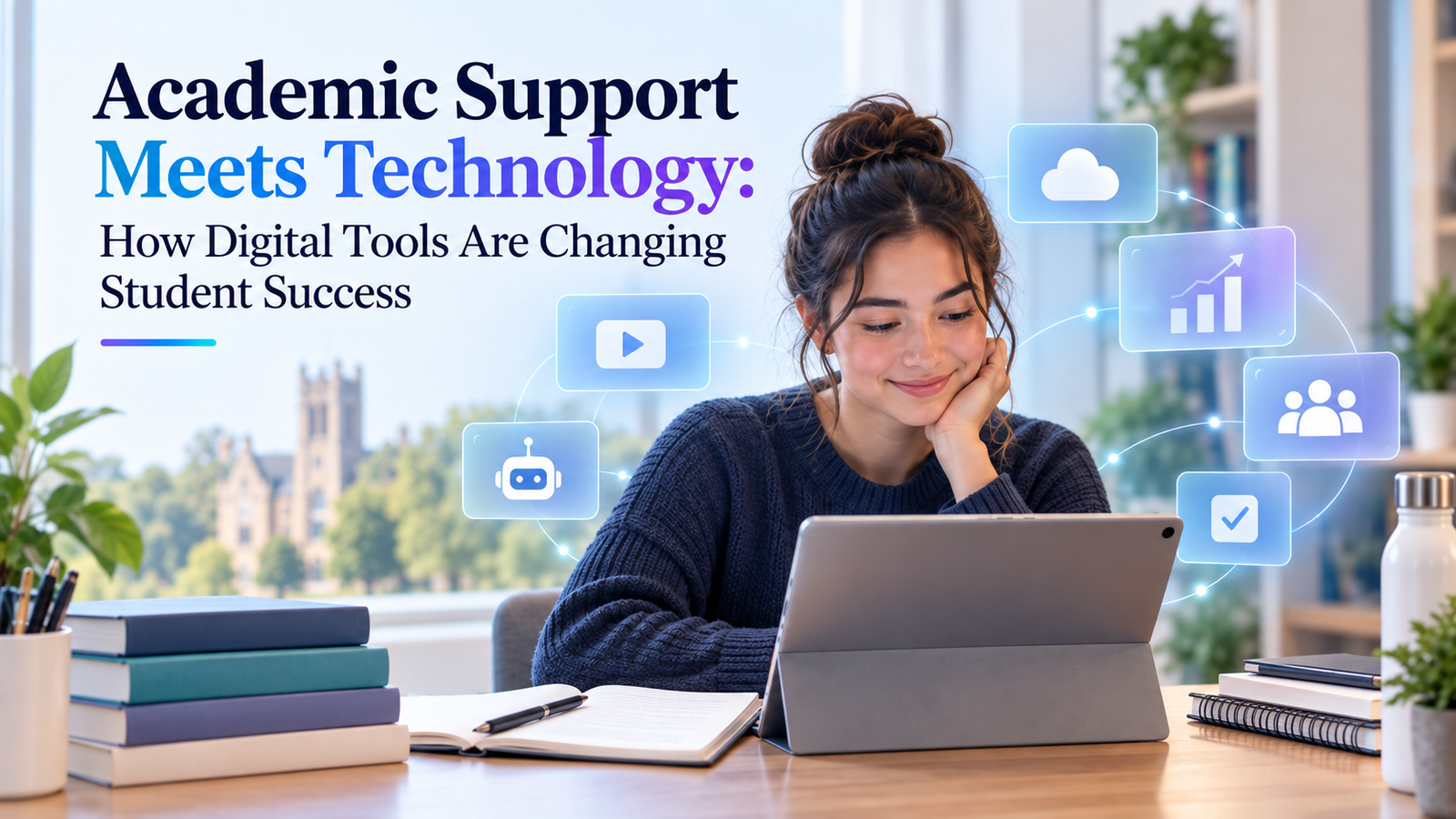
Academic Support Meets Technology: How Digital Tools Are Changing Student Success
A practical 2026 guide to using digital tools for better learning, stronger organisation, smarter support, and more confident academic progress
The real change is not “students use more technology.” It is that academic support is becoming more immediate, more personalised, more connected, and more measurable. The challenge is to use digital tools as a support system for learning – not as a substitute for thinking, judgment, or academic integrity. |
Student Success Is Becoming a Digital Experience
A student who starts university in 2026 does not experience academic support only through office hours, library desks, printed handbooks, or occasional meetings with an adviser. Support can now appear inside a learning management system, a calendar reminder, a reference manager, an online feedback tool, a recorded lecture, a study-planning app, an accessibility feature, a data dashboard, or an AI-assisted learning environment. The result is a major shift in how students find help, manage workload, understand feedback, and stay connected to their course.
That shift matters because student success is rarely determined by intelligence alone. It is influenced by whether students can find the right information at the right time, understand expectations, organise complex tasks, receive useful feedback, access learning materials, communicate with instructors and peers, and recover quickly when something goes wrong. Digital tools can strengthen each of those areas when they are designed and used well.
The evidence also shows that students increasingly judge the quality of their education partly through the quality of the digital environment around it. In Jisc’s 2024/25 UK higher-education survey, 86% of respondents rated their digital learning environment above average, 84% rated the quality of the digital learning experience on their course positively, and 77% rated the support they received for learning with technology above average. At the same time, the same research found continuing problems with Wi-Fi, device access, and uneven digital-skills support. Technology can remove barriers, but poorly integrated technology can create new ones.
Explore the current findings: Jisc Digital Experience Insights 2024/25
1. The Learning Management System Has Become the Academic Home Base
For many students, the learning management system (LMS) is the digital front door to the course. It can bring together lecture slides, readings, announcements, assignment briefs, submission links, grades, discussion boards, quizzes, and feedback. That sounds basic, but the value is significant: when important information is centralised, students spend less time searching across emails and folders and more time acting on what they find.
A well-organised LMS also makes the hidden structure of a course visible. Weekly modules can show what to read before class, what to complete afterward, which deadline comes next, and how each activity connects to learning outcomes. This is especially valuable for students balancing study with employment, caregiving, commuting, or different time zones. Flexibility is not only about watching a lecture online; it is about being able to understand what is required without needing to be physically present at the exact moment information is announced.
However, simply having an LMS does not guarantee a good experience. Ten folders named ‘Week 1’, ‘Week 2’, and ‘Week 3’ with inconsistent file names can still create confusion. Digital academic support works best when technology is paired with clear information architecture, consistent naming, accessible documents, visible deadlines, and predictable navigation.
2. Digital Planning Turns Big Academic Work Into Manageable Actions
A dissertation, exam period, research project, or semester can feel overwhelming because the work is large and the dependencies are invisible. Digital calendars, task managers, project boards, and milestone trackers can turn a vague goal such as ‘finish thesis’ into smaller actions with dates and dependencies.
Consider a student with a dissertation due in twelve weeks. A weak plan is to write ‘dissertation’ on the calendar every Saturday. A stronger digital plan works backward: final proof complete by Week 12, supervisor review by Week 10, discussion stable by Week 9, results complete by Week 7, analysis completed by Week 6, and data preparation closed earlier. Each milestone can then be broken into weekly tasks. The technology is simple; the value comes from making the sequence visible.
- Use calendar deadlines for immovable events such as submissions, presentations, examinations, and supervisor meetings.
- Use task lists for concrete next actions: screen 20 papers, revise Table 4.2, check 15 references, or draft the opening of the discussion.
- Use project boards for multi-stage work where tasks move from planned to in progress, feedback received, revised, and complete.
- Use reminders strategically. Too many notifications become background noise; reminders should protect high-value milestones, not every minor action.
3. Research Tools Reduce Friction Without Replacing Research Skills
Research used to involve notebooks full of handwritten citations, manually typed reference lists, and folders of PDFs with names such as ‘article-final-2.pdf’. Students now have access to tools that can make literature searching, citation management, annotation, and evidence organisation much more reliable.
Reference managers such as Zotero can store bibliographic details, organise papers into collections, attach PDFs, capture notes, and insert citations into a document. This does not remove the need to understand a referencing style. It reduces repetitive administration and makes it easier to update references when a paragraph moves or a source is replaced.
The same principle applies to literature matrices and research databases. A student can record each study’s aim, sample, method, theory, key findings, limitations, and relevance in a structured table. That turns a pile of reading into a searchable evidence base. The benefit appears later, when the student needs to compare studies rather than merely remember them.
Useful starting point: Zotero
4. AI Is Changing Academic Support – but the Best Use Is Assisted Learning
Generative AI is the most visible change in academic technology, and it is also the area where the difference between support and substitution matters most. Used responsibly, AI can help students ask questions in different ways, generate practice questions, receive explanations, compare possible structures, identify gaps in a plan, improve study schedules, or turn dense notes into a checklist for further review. Those uses can make support more immediate, especially when a human tutor or adviser is not available at that moment.
But AI-generated text can be inaccurate, incomplete, fabricated, overly confident, or disconnected from the course’s actual requirements. It can also make it tempting to skip the difficult thinking that produces learning. UNESCO’s guidance on generative AI in education argues for a human-centred approach that protects privacy, develops human capacity, and treats AI as something that must be validated pedagogically and ethically rather than adopted simply because it is available.
The healthiest question is therefore not ‘Can AI do this task for me?’ but ‘Which part of this task should remain my judgment, and which repetitive or explanatory part can technology support?’ A student may use AI to generate five practice questions from notes, but should still verify the answers. AI can suggest alternative headings for a literature review, but the student must decide which structure reflects the evidence. AI can explain a statistical term, but it should not be trusted blindly to interpret a dataset it has not been given accurately.
A simple AI rule for students Use AI to clarify, practise, organise, question, and explore. Do not use it to outsource authorship, invent evidence, bypass required learning, or hide work that your institution expects you to complete independently. |
Further reading: UNESCO – Guidance for Generative AI in Education and Research
5. Feedback Technology Makes Improvement Faster
Traditional academic feedback often arrives after a student has finished the task and mentally moved on. Digital systems can shorten that cycle. Online quizzes can provide immediate checks of understanding. Annotation tools can attach comments directly to a sentence or diagram. Rubrics can show where marks were gained and lost. Version histories can let a student compare drafts. Recorded audio or video feedback can explain complex points that would take a long paragraph to describe.
The most important benefit is not speed for its own sake. It is the opportunity to create a feedback loop: attempt, receive information, revise, attempt again. Learning becomes stronger when feedback influences the next action rather than sitting unread beside a final grade.
Students can support this process themselves by maintaining a simple feedback log. After each assignment, record three things: what worked, what repeatedly lost marks, and what specific change will be applied to the next task. A digital note that says ‘improve critical comparison’ is too vague. A useful entry says ‘after presenting each study, add one sentence comparing its method or finding with another source.’ Technology stores the lesson; the student still has to apply it.
6. Collaboration Tools Extend the Classroom
Digital collaboration tools allow students to work together without being in the same room. Shared documents, group chats, video meetings, whiteboards, and version histories can support group projects, peer review, study groups, and research teams. They also create a record of decisions that is harder to maintain in an informal conversation.
For group work, the strongest setup is usually simple: one agreed communication channel, one shared file location, one task list, and clear ownership of deliverables. Problems begin when a team uses six platforms without deciding which one is authoritative. A message in one app, a revised document in another, and a deadline in someone’s personal calendar can make ‘more technology’ produce less coordination.
Digital collaboration also creates a useful professional skill. Modern workplaces increasingly rely on distributed teams, asynchronous communication, shared documents, project-management systems, and virtual meetings. Learning to communicate clearly in those environments can support both academic success and workforce readiness.
7. Accessibility Tools Can Turn “Available” Content Into Usable Content
A learning resource is not truly accessible simply because it has been uploaded. Students may need captions, transcripts, readable PDFs, keyboard navigation, text enlargement, screen-reader compatibility, high contrast, or alternative formats. Digital tools can make those supports easier to provide and easier to personalise.
Recorded lectures are a good example. One student may use the recording because English is not their first language and they want to replay a difficult explanation. Another may be working during the live class. Another may need captions. Another may simply want to revisit a diagram before an exam. One digital resource can therefore support several different learning needs without assuming that all students learn in the same way.
Jisc’s recent student research repeatedly highlights flexibility, accessibility, and convenience as important benefits of digital learning. The lesson for institutions is that accessibility should be designed into the learning environment from the beginning, not added only when a problem is reported.
8. Learning Analytics Can Identify Problems Earlier
Digital learning environments generate data: logins, assignment submissions, quiz attempts, attendance, content access, progression, and other activity. Used carefully, learning analytics can help institutions identify patterns that may indicate a student is struggling and offer support earlier.
For example, a student who stops accessing course materials, misses two low-stakes assessments, and does not attend scheduled sessions may benefit from a timely check-in before the situation becomes a failed module. Analytics cannot know the student’s circumstances, and it should not be treated as an automatic diagnosis. It can be a signal that prompts a human conversation.
EDUCAUSE’s 2025 Horizon Report on data and analytics describes data as increasingly central to institutional strategy, student success, and decision-making. The opportunity is significant, but so are questions about consent, fairness, governance, interpretation, and privacy. The strongest student-success systems use data to guide support rather than punish students for patterns the system may not fully understand.
Explore: EDUCAUSE 2025 Horizon Report – Data and Analytics
9. Digital Skills Are Now Part of Academic Success
Students are often told to focus on subject knowledge, but academic performance increasingly depends on digital capability too. Can you search efficiently? Manage files? Protect accounts? Collaborate in shared documents? Judge the credibility of online information? Use a spreadsheet correctly? Present data clearly? Learn a new platform without losing hours? Understand what AI can and cannot be trusted to do?
These skills have become part of the hidden curriculum of higher education. Jisc found that while 55% of students in its 2024/25 survey reported receiving guidance on course-related digital skills, only 37% reported opportunities to develop digital skills for employment. That gap matters because the same tools that support a dissertation today may become workplace tools tomorrow.
A sensible student strategy is to treat digital skills like any other academic skill: identify gaps, practise deliberately, and build a small toolkit rather than chasing every new app. The goal is not to become an expert in dozens of platforms. It is to become confident at choosing, learning, and evaluating the right tool for the task.
10. Cybersecurity Is Part of Student Success Too
Academic technology creates convenience, but it also creates more accounts, more stored files, and more opportunities for phishing, password theft, accidental sharing, or data loss. The 2026 EDUCAUSE Students and Technology Report notes that 46% of students encountered a security threat during the previous academic year. That makes cybersecurity a practical student-success issue, not merely an IT department concern.
A compromised university account can interrupt access to coursework, expose personal data, or lock a student out of critical systems close to a deadline. Basic habits matter: use unique passwords, enable multi-factor authentication, recognise suspicious login messages, back up important research files, avoid sharing sensitive data with unapproved AI tools, and understand which institution-approved services should be used for confidential work.
Current context: 2026 EDUCAUSE Students and Technology Report
What a Practical Student Digital Toolkit Might Look Like
The best toolkit is not the one with the most apps. It is the smallest set of reliable tools that covers the student’s real workflow. The exact platforms depend on the institution, course, discipline, and personal needs, but the structure below shows how a coherent system can work.
Need | Tool category | What it can improve | Main caution |
Course access | Learning management system | Materials, deadlines, submissions, feedback | Poor organisation can still create confusion |
Planning | Calendar + task manager | Milestones, reminders, weekly priorities | Too many notifications become noise |
Research | Database/search + reference manager | Finding, storing, citing, annotating sources | Tools do not verify source quality for you |
Writing | Word processor + cloud storage | Drafting, comments, version history, backup | Keep version and file naming disciplined |
Learning support | AI / tutoring / quiz tools | Explanations, practice, planning, feedback | Verify outputs and follow academic-integrity rules |
Collaboration | Shared docs + messaging/video | Group work, peer review, coordination | Agree on one source of truth |
Data work | Spreadsheet/statistics/visualisation tools | Analysis, checking, tables, charts | Methodological judgment remains essential |
Accessibility | Captions, readers, text-to-speech, display tools | More usable and flexible learning materials | Accessibility should be built in, not assumed |
A Realistic Example: From Overwhelmed to Organised
Imagine a master’s student preparing a 12,000-word dissertation while working part time. At the beginning, articles are saved in the Downloads folder, deadlines live in email, supervisor comments are scattered across document versions, and the student occasionally asks an AI tool questions without saving what was learned. The problem is not lack of effort. It is an unstructured information system.
A better setup could take less than an hour to create. The official deadline and supervisor meetings go into a calendar. The thesis is broken into milestones in a task board. Articles move into a reference manager with folders for each theme. A literature matrix records the most important evidence. Drafts live in one cloud folder with controlled file names. Supervisor comments are transferred into a revision checklist. AI, where permitted, is used for practice questions or explanations, and any factual claim is checked against original sources. Backups are automatic.
No single tool writes the dissertation. But the system reduces searching, forgetting, duplication, and avoidable stress. That gives the student more time for the work that technology cannot replace: reading critically, choosing a method, interpreting evidence, building an argument, and making defensible academic decisions.
The Biggest Mistake: Confusing More Tools With Better Support
Digital transformation can fail when institutions or students keep adding tools without simplifying the experience. A new app for attendance, another portal for support, a different platform for feedback, and a separate login for careers can create a maze. Students may technically have access to more services while finding it harder to locate the right one.
Technology should therefore be judged by friction removed, not features added. Does it reduce the number of steps? Does it make deadlines clearer? Does it improve accessibility? Does it help a student act on feedback? Does it connect to existing systems? Can users understand it without extensive training? Does it protect privacy? If the answer is no, the tool may be innovative without being useful.
Seven Principles for Using Digital Tools Without Losing the Human Side of Learning
Start with the learning problem, not the app. Choose technology because it solves a defined problem such as missed deadlines, weak feedback loops, inaccessible materials, or difficult collaboration.
Keep one source of truth. Decide where the final deadline, final document, or final task status lives. Duplicate systems create uncertainty.
Automate administration, not judgment. Let tools handle reminders, formatting assistance, search organisation, or repetitive calculations while keeping interpretation and academic decisions human.
Verify important outputs. AI answers, citation metadata, automated summaries, and generated references should be checked against trustworthy original sources.
Protect privacy and accounts. Use institution-approved systems for sensitive information and treat cybersecurity as part of academic continuity.
Build accessibility in from the beginning. Captions, readable files, alternative formats, and flexible access help more students than those who formally request accommodations.
Review the toolkit every semester. Remove tools that duplicate each other, keep what genuinely saves time, and learn one new capability only when it solves a real need.
What This Means for Universities, Tutors, and Education Businesses
For institutions, student success increasingly depends on the quality of the digital ecosystem, not just the quality of individual applications. Systems should connect logically, use consistent identity and navigation, surface support at the moment of need, and provide clear guidance about AI, privacy, accessibility, and digital skills. Staff training matters as much as software procurement because students experience the way technology is used, not merely the fact that it exists.
For tutors and academic-support teams, digital tools can extend reach. Appointment systems can simplify scheduling. Shared documents can make feedback more actionable. Video explanations can serve multiple students. Dashboards can help track agreed milestones. Digital resources can support students between meetings. The aim should be to make human support more focused and timely, not to remove it.
For education businesses and EdTech teams, the opportunity is to design around real student journeys. A useful platform may need role-based access, progress tracking, secure document exchange, messaging, appointment booking, content libraries, notifications, analytics, or integration with existing systems. The strongest products begin with the student’s problem and the staff workflow, then choose the technology that makes both simpler.
Useful Backlinks & Further Reading
- EDUCAUSE – 2026 Students and Technology Report – Current student perspectives on technology, support, workforce preparation, AI, and security.
- Jisc – 2024/25 UK Higher Education Student Digital Experience Insights – Large-scale evidence on students’ digital learning experience, support, access, and AI use.
- UNESCO – Guidance for Generative AI in Education and Research – Human-centred guidance for responsible and ethical educational use of generative AI.
- EDUCAUSE – 2025 Horizon Report: Data and Analytics – Trends in analytics, AI, data governance, and institutional decision-making.
- Zotero – Free research and reference-management tool for organising sources and citations.
- KM Software Services – Software, web, mobile, database, and digital solutions.
- KM Software Services – School Management System – Example of KMSS work in education-focused software and institutional management.
A 10-Minute Digital Support Check for Students
Before adding another app, take ten minutes to check whether your current digital setup is actually helping. A simple audit can reveal where small changes will save the most time.
- Deadlines: Are every major submission, exam, meeting, and internal milestone visible in one calendar?
- Files: Can you find the latest version of an important document in less than 30 seconds?
- Research: Are sources stored with enough notes or tags that you can retrieve the right evidence later?
- Feedback: Have repeated tutor or supervisor comments been turned into a practical revision checklist?
- AI use: Do you know which uses are permitted, which outputs need verification, and which tasks must remain fully your own?
- Security: Are important accounts protected with multi-factor authentication and are research files backed up?
- Tool overload: Is any platform duplicating another without adding real value? If so, simplify.
Final Thought: The Best Technology Makes Support Easier to Reach
Digital tools are changing student success because they can place structure, feedback, information, and support closer to the moment a student needs them. A deadline can become a sequence of manageable milestones. A pile of articles can become an organised evidence library. Feedback can become a revision plan. A recorded class can become an accessible resource. Data can trigger an earlier conversation. AI can become a practice partner rather than a shortcut. None of these changes guarantees success, but together they can remove friction that once consumed time and attention.
The future of academic support is therefore unlikely to be purely digital or purely human. It will be a combination: technology handling coordination, access, organisation, and repetitive tasks while educators, advisers, researchers, and students retain responsibility for judgment, mentoring, critical thinking, and academic integrity. The organisations that understand that balance will build digital experiences that feel supportive rather than overwhelming.
For universities, training providers, education businesses, and academic-support organisations looking to improve the technology behind that experience, KM Software Services can help design and develop practical digital solutions – from responsive web and mobile platforms to databases, portals, workflow systems, integrations, and education-focused management tools. KMSS also operates a wider ecosystem that includes specialised academic-support services, allowing technology and support functions to be developed around the real needs of learners and teams. The goal is not to add technology for its own sake, but to build systems that make learning support easier to access, easier to manage, and more reliable at the moments that matter most.
BETTER TOOLS. CLEARER SUPPORT. STRONGER STUDENT JOURNEYS.