
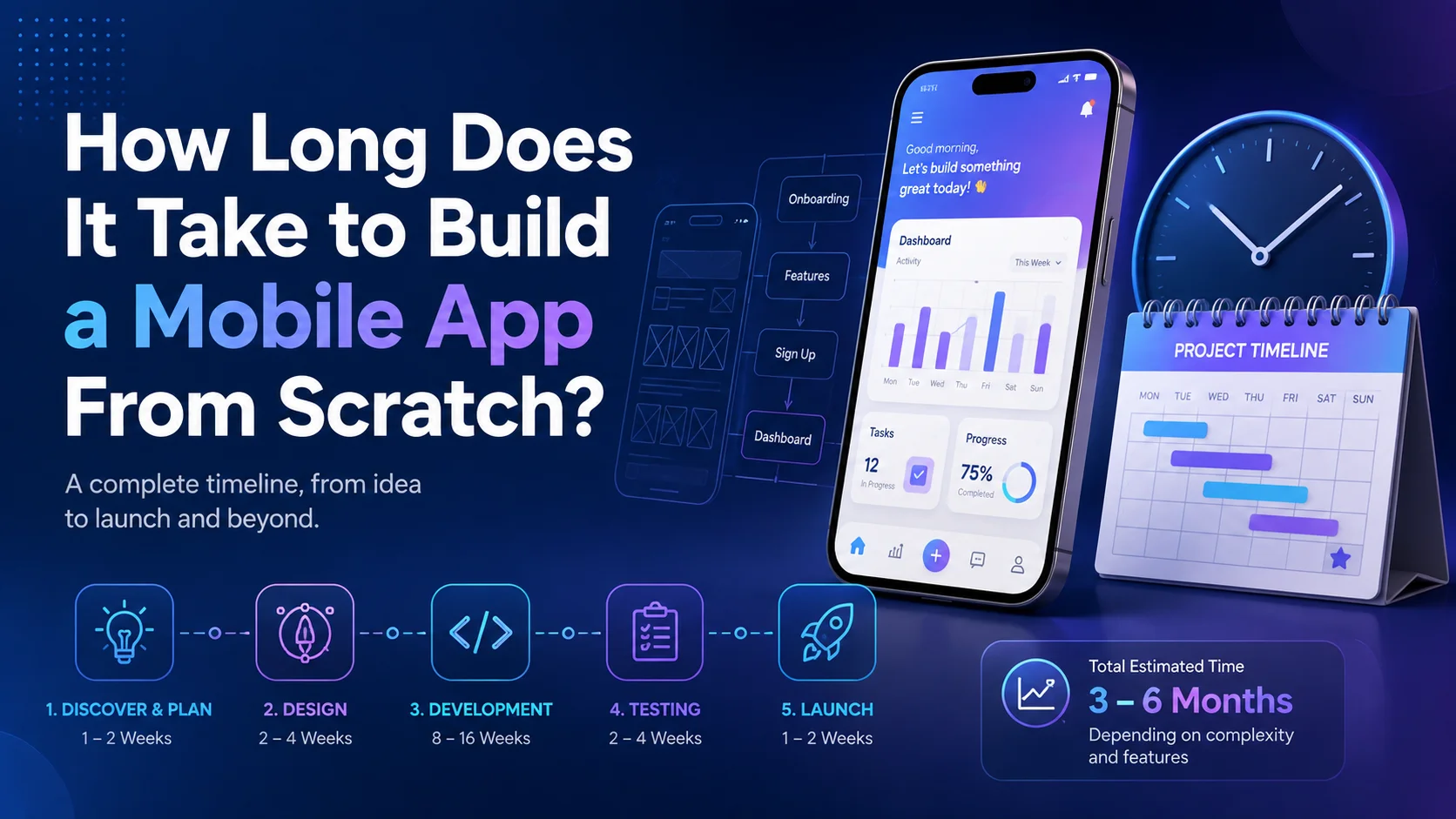
How Long Does It Take to Build a Mobile App From Scratch?
A founder may have a clear app idea on Monday and immediately ask when it can be in customers’ hands. The answer is rarely “two weeks” or “six months” without more context. A basic application with a small number of screens can move relatively quickly. A marketplace, fintech product, delivery platform, healthcare system, or app connected to several business systems may take much longer.
As a practical planning range, a simple app can often take around two to four months, a medium-complexity product around four to seven months, and a complex application seven to twelve months or more. These are planning estimates rather than guarantees. Scope, platform choice, integrations, compliance, design, testing, team size, and how quickly decisions are made can all change the schedule.
For business owners trying to build a mobile app from scratch, the useful question is not only, “How many months?” It is, “What work has to happen before the app is reliable enough to launch?” Understanding that process makes estimates more realistic and helps prevent rushed decisions that later create expensive rework.
What Does “From Scratch” Actually Mean?
To build a mobile app from scratch normally means starting with a business problem or product idea rather than an existing production-ready application. The team may still use established frameworks, cloud services, APIs, libraries, design systems, and third-party tools. “From scratch” does not mean writing every technical component manually.
The process may include discovery, user flows, wireframes, UI design, architecture, front-end and back-end development, integrations, testing, store preparation, release, and post-launch support.
KM Software Services Mobile App Development covers custom development, UI/UX design, integrations, testing, quality assurance, and ongoing maintenance for iOS and Android applications. A realistic timeline therefore needs to include much more than coding.
Why App Development Timelines Vary So Much
Two apps can contain the same number of screens and still require completely different amounts of work.
Imagine two applications with ten screens.
The first is a simple company app containing service information, news, contact details, and a basic enquiry form.
The second also has ten screens, but users create accounts, upload documents, receive role-based content, make payments, synchronize information with an existing CRM, and receive real-time notifications.
Visually, the projects may look similar. Technically, they are not.
When businesses build a mobile app from scratch, the timeline is usually influenced by five major areas: feature complexity, platform strategy, back-end requirements, integrations, and quality requirements.
A project that needs offline synchronization, location tracking, video calling, subscriptions, live chat, AI functions, or complex permissions will normally require more development and testing than a content-focused app.
A Practical Mobile App Development Timeline
A useful starting plan looks like this:
Development Stage | Typical Planning Range |
Discovery and requirements | 1–3 weeks |
UX and wireframes | 1–3 weeks |
Visual UI design | 2–5 weeks |
Technical setup and architecture | 1–3 weeks, often overlapping |
Core development | 6–16+ weeks |
Testing and stabilization | 2–6 weeks |
Store preparation and release | 1–3+ weeks |
Post-launch fixes and improvements | Ongoing |
These stages often overlap.
Designers may work on later screens while developers begin approved flows. Back-end work can happen while mobile interfaces are being built. Quality assurance can start before the complete application is finished.
The table is therefore a planning framework rather than a promise that every stage will start only after the previous one ends.
1. Discovery and Requirement Planning: 1–3 Weeks
The fastest way to make app development slow is to start coding before the team agrees on what is being built.
Discovery clarifies the business objective, target users, required workflows, essential features, technical constraints, and launch priorities.
If a company wants to build a mobile app from scratch for restaurant delivery, the team needs more information than:
“We want something like a food delivery app.”
Will restaurants manage their own menus?
Will drivers have a separate interface?
How will location tracking work?
Which payment methods are required?
Can customers schedule orders?
How are refunds handled?
Who manages discounts?
What happens when an item becomes unavailable after it has already been added to a basket?
Each answer can change the design and technical architecture.
A focused discovery phase can save time later because developers are less likely to rebuild important workflows after implementation has started.
One useful output is an MVP scope.
An MVP, or minimum viable product, should contain the smallest group of features that solves the core user problem and allows the business to learn from real customers.
Features that are valuable but not essential for the first launch can move into later releases.
2. UX, Wireframes, and User Flows: 1–3 Weeks
Before visual design begins, the team needs to understand how people move through the application.
Wireframes define the structure without spending too much time on final colours, icons, illustrations, or visual details.
A booking application, for example, may follow a flow like this:
Open app → choose service → select provider → choose date → select time → enter details → pay → receive confirmation
Drawing this journey can reveal missing decisions before developers begin coding.
This matters when you build a mobile app from scratch because changing a wireframe is usually far easier than rebuilding a completed checkout or booking process.
User experience planning should also include unsuccessful situations.
What happens when there are no appointments?
What happens if payment fails?
What happens when the internet connection disappears?
What if a user refuses location or notification permission?
Good UX planning covers both the normal journey and the situations that interrupt it.
3. UI Design and Interactive Prototyping: 2–5 Weeks
Once the main flows are agreed, designers can create the visual interface.
This includes typography, spacing, colours, navigation, buttons, forms, cards, icons, screen states, and reusable components.
The amount of time required depends on how distinctive the product needs to be and how many unique screens or states exist.
A simple internal company application using a clean design system can move faster than a consumer app requiring custom illustrations, advanced animations, unique interactions, and highly branded screens.
Apple maintains its Human Interface Guidelines for designing experiences that work naturally across Apple platforms. Android similarly publishes Core App Quality Guidelines covering quality, behaviour, usability, and multiple device types.
For businesses planning to build a mobile app from scratch, early design approval matters.
Repeated changes to navigation, branding, user flows, or screen structure during development can add significant rework.
4. Choosing Native or Cross-Platform Development
Platform strategy can affect both the development timeline and future maintenance.
A native iOS application and a native Android application use platform-specific technologies and normally require separate development work for substantial parts of the product.
Cross-platform frameworks allow teams to share more code between platforms.
For example, Flutter is designed for building multiplatform applications from a shared codebase. React Native also supports iOS and Android development, with its environment setup documentation covering development through Android Studio and Xcode.
Cross-platform development can reduce duplicated work for many business applications.
However, it is not automatically the fastest option for every project.
Heavy use of platform-specific hardware, advanced background processes, specialised SDKs, or unusual performance requirements can change the decision.
KMSS also develops native and cross-platform applications for Android and iOS, allowing the technology to be chosen according to the project rather than forcing every product into the same approach.
5. Core Mobile Development: 6–16+ Weeks
This is the stage most people think about when they hear “mobile app development.”
Developers turn approved designs and requirements into a working product.
They build navigation, authentication, account settings, notifications, payments, search, device permissions, and the other functions defined in scope.
When teams build a mobile app from scratch, development time depends more on how features behave than on how many screens are visible.
A standard email login may be straightforward.
A login system supporting social login, enterprise single sign-on, multi-factor authentication, account recovery, device management, and role-based permissions is much larger.
The same principle applies to maps, chat, subscriptions, video, file uploads, offline operation, or background location tracking.
Features should therefore be estimated according to their actual behaviour rather than assuming every screen requires the same amount of development time.
6. Back-End, Database, and Admin Development
The application on the phone may only be one part of the overall system.
Many apps also need a back end.
The back end can manage:
- User accounts
- Permissions
- Products
- Bookings
- Messages
- Inventory
- Payment status
- Notifications
- Reports
- Business rules
- Integrations
The business may also need a web-based administration dashboard.
Staff could use that dashboard to manage customers, transactions, products, appointments, support requests, content, or system settings.
That work can be substantial.
If a business wants to build a mobile app from scratch with customer accounts and live business information, the timeline needs to include the systems that make the mobile interface useful.
A marketplace may require customer, seller, and administrator roles.
A delivery platform may require customer, restaurant, driver, and operations workflows.
An education application may need student, instructor, course, payment, progress, and administrative systems.
This is why saying “our app only has ten screens” is not enough for an accurate estimate.
7. Third-Party Integrations: 1–6+ Weeks
Modern mobile applications rarely operate completely alone.
They may connect with:
- Payment gateways
- CRM systems
- Maps
- Analytics platforms
- Identity providers
- Email services
- SMS providers
- Inventory software
- ERP systems
- Booking platforms
- AI APIs
Integrations can reduce development work because the team does not need to recreate every service.
They can also create dependencies.
Documentation may be incomplete. Access credentials may take time to obtain. Sandbox systems may behave differently from production systems. An older company platform may not offer a clean API.
When you build a mobile app from scratch, identify integrations during discovery instead of adding them near the end of development.
A sentence such as:
“It also needs to synchronize with our existing CRM.”
could mean a simple API connection or several weeks of custom work depending on the CRM.
8. Testing and Quality Assurance: 2–6 Weeks
Testing should not begin the day before launch.
It should happen throughout development.
Flutter’s official Testing Flutter Apps guidance separates automated testing into unit, widget, and integration tests. It also explains that testing becomes more challenging as an application’s features increase.
Android’s current quality guidance similarly focuses on providing reliable behaviour and consistent experiences across different devices and display sizes.
For teams trying to build a mobile app from scratch, quality assurance covers much more than checking whether buttons work.
Testing can cover functionality, different devices and operating-system versions, slow internet, permissions, failed payments, account recovery, notifications, API errors, performance, accessibility, application upgrades, background behaviour, and data synchronization.
A bug found early may be straightforward to fix.
A structural problem discovered after dozens of features depend on it can create much more rework.
9. Beta Testing With Real Users
Internal teams know how the application is supposed to work.
Real customers do not.
That is exactly why beta testing is valuable.
Firebase App Distribution currently supports distributing pre-release iOS and Android builds to trusted testers, managing groups, collecting feedback, and sharing repeated builds during testing.
When businesses build a mobile app from scratch, external testing can reveal problems that founders, designers, and developers miss.
Users may misunderstand navigation, abandon onboarding because too much information is requested, or behave in ways the project team did not expect.
A controlled beta period can identify those problems before thousands of public users experience them.
Beta testing also gives businesses early evidence about whether the product assumptions were correct.
10. App Store Preparation and Review: 1–3+ Weeks
Development does not finish when the final application build is created.
Teams still need screenshots, descriptions, privacy information, support links, ratings, developer-account access, release settings, and other store material.
Apple’s current App Review Guidelines tell developers to test for crashes and bugs, provide accurate metadata, keep contact information updated, and provide App Review with suitable access to the application. Apple also notes that complex apps or apps presenting new issues may require more consideration during review.
That means founders should avoid planning an expensive marketing campaign around the assumption that approval will happen at one exact moment.
Google Play also has its own quality, testing, privacy, and release processes.
If you want to build a mobile app from scratch for both platforms, store preparation should begin before the final week.
KMSS has also published an App Store vs Google Play guide covering developer accounts, testing, privacy information, listings, review preparation, and release planning.
How Long Does Each Type of App Usually Take?
The easiest way to estimate development time is to look at complexity.
Simple App: Around 2–4 Months
A simple application might include:
- Basic onboarding
- User login
- A small number of content screens
- Contact forms
- Simple search
- Basic notifications
- A standard API connection
Examples could include a company information app, event guide, internal reference tool, or basic customer portal.
This type of product can move relatively quickly when the requirements are clear and the design is straightforward.
Medium-Complexity App: Around 4–7 Months
A medium application might include:
- Several user roles
- Payments
- Bookings
- Location services
- Push notifications
- User-generated content
- Chat
- Search and filters
- Admin dashboard
- Multiple integrations
- Detailed analytics
This is a common range for businesses that want to build a mobile app from scratch as a serious customer-facing product rather than a simple digital brochure.
Complex App: Around 7–12+ Months
A complex product may involve:
- Real-time marketplaces
- Advanced financial workflows
- Large-scale messaging
- Video calling
- Complex offline synchronization
- IoT connections
- AI processing
- Advanced data visualization
- Multiple applications for different users
- Enterprise authentication
- Audit trails
- High security requirements
- Large legacy-system integrations
Projects at this level are often better delivered through phased releases rather than trying to include every function in one enormous launch.
What Usually Makes App Development Take Longer?
The biggest delays usually come from unclear scope, slow approvals, late integrations, major design changes, and changing business rules after development has already started.
Device-specific bugs, store questions, and dependencies on third-party systems can also affect the schedule.
A project may look almost complete until someone announces that it also needs to connect with an old internal system nobody has documented.
Another project may lose several weeks because stakeholders repeatedly change an approved checkout flow.
To build a mobile app from scratch efficiently, the business needs to manage decisions as carefully as developers manage code.
Development speed is partly technical.
It is also organizational.
Does Adding More Developers Always Make Development Faster?
Not necessarily.
A larger team can divide work across mobile development, back-end development, QA, design, DevOps, and integrations.
But doubling the number of developers does not automatically cut the schedule in half.
Teams still need to coordinate architecture, review code, manage dependencies, and wait for business decisions.
The development team should therefore match the project rather than simply be as large as possible.
A straightforward application may become slower if unnecessary coordination is introduced.
A complex platform, however, may be delayed if one developer is expected to build the mobile application, back end, database, admin dashboard, integrations, testing, and deployment alone.
Can an MVP Reduce the Timeline?
Yes, if the MVP is genuinely smaller.
An MVP is not supposed to be a poor-quality version of the full product.
It is a focused version designed to test the most important assumptions.
Suppose a founder wants to build a mobile app from scratch for local fitness trainers.
The long-term vision includes:
- Live video sessions
- Meal plans
- Wearable integrations
- Community groups
- AI coaching
- Subscriptions
- Challenges
- An online marketplace
Version one may only need trainer profiles, booking, payment, messaging, and appointment management.
If those features solve the core customer problem, the business can launch sooner, learn from real users, and then decide which advanced functions deserve further investment.
Trying to include the entire three-year product roadmap in version one often delays useful customer feedback.
How Business Owners Can Reduce Development Time
The first step is to define the problem clearly.
A development brief should explain who the users are, what they need to accomplish, and which features are essential.
Separate must-have features from nice-to-have ideas.
Assign one person who can make product decisions.
Provide feedback quickly.
Give developers API documentation and third-party credentials early.
Prepare brand assets and legal content before they are needed.
Use prototypes to approve workflows before development begins.
When you build a mobile app from scratch, these operational decisions can save as much time as choosing a faster development framework.
Clear requirements do not prevent future changes.
They simply prevent the team from spending several weeks building something everyone already knew would need to change.
A Sample Six-Month Development Plan
A medium-complexity business application might follow a schedule similar to this:
Month 1: Discovery, requirements, user flows, technical planning.
Month 2: UI design, prototype approval, architecture, back-end setup.
Month 3: Core mobile development, authentication, main workflows.
Month 4: Back-end features, integrations, notifications, admin functions.
Month 5: Remaining features, QA, device testing, beta distribution.
Month 6: Stabilization, user feedback, store preparation, launch, and early fixes.
This is only an example.
A narrower product may launch faster.
An application with several complicated integrations may need longer.
The purpose of the timeline is to show that app development is a sequence of product decisions and technical stages rather than one long coding phase.
What Happens After Launch?
Launch is the start of the product’s real life.
Users find unexpected bugs.
Operating systems change.
New devices appear.
Third-party APIs change.
Analytics reveal friction.
Customers request improvements.
Security updates become necessary.
The business may introduce new markets, payment methods, products, or integrations.
That means the decision to build a mobile app from scratch should also include a maintenance plan.
KM Software Services states that its mobile app services include ongoing maintenance and support to help applications remain functional, secure, and current.
Maintenance can include bug fixes, compatibility updates, performance improvements, analytics reviews, security patches, new features, and future store releases.
A successful application is rarely “finished” permanently.
Final Thoughts
So, how long does mobile app development actually take?
For planning purposes:
- Simple app: around 2–4 months
- Medium-complexity app: around 4–7 months
- Complex app: around 7–12+ months
But complexity matters more than the number of screens.
The schedule changes according to user roles, back-end systems, design requirements, integrations, payments, security, testing, platform strategy, and how quickly the business makes decisions.
If you want to build a mobile app from scratch, do not begin by asking developers to promise the earliest possible launch date.
Begin by defining the smallest useful product.
Understand the customer journey.
Identify technical dependencies.
Choose the right platform strategy.
Plan testing.
Prepare for app-store requirements.
Decide who will make product decisions.
Then create a timeline around the real work.
A realistic schedule is not evidence that development is unnecessarily slow. It protects the business from rushed decisions that create more work, higher costs, and a weaker product later.
Need Help Planning Your Mobile App?
If your business wants to build a mobile app from scratch but is unsure about features, technology, development time, or launch scope, KM Software Services provides end-to-end mobile application development for iOS and Android.
Its Mobile App Development services include custom app development, UI/UX design, integrations, testing, quality assurance, and ongoing support.
A practical discovery process can help separate essential launch features from later improvements, identify technical dependencies before development begins, and create a realistic product roadmap rather than relying on a rough deadline.
Useful Mobile App Development Resources
- Apple App Review Guidelines — official requirements and submission guidance for applications distributed through Apple’s App Store.
- Android Core App Quality Guidelines — Google’s guidance on reliable app behaviour, usability, and experiences across Android devices.
- Firebase App Distribution — tools for distributing pre-release iOS and Android builds to testers and collecting feedback.
- Flutter Testing Documentation — official guidance covering unit, widget, and integration testing.
- Flutter Documentation — official resources for building multiplatform applications.
- React Native Development Environment — official guidance for setting up Android and iOS development environments.
- KM Software Services Mobile App Development — custom iOS and Android development, UI/UX, integrations, QA, and ongoing support.
- KMSS App Store vs Google Play Guide — practical guidance for founders covering testing, developer accounts, privacy requirements, store listings, and launch planning.