
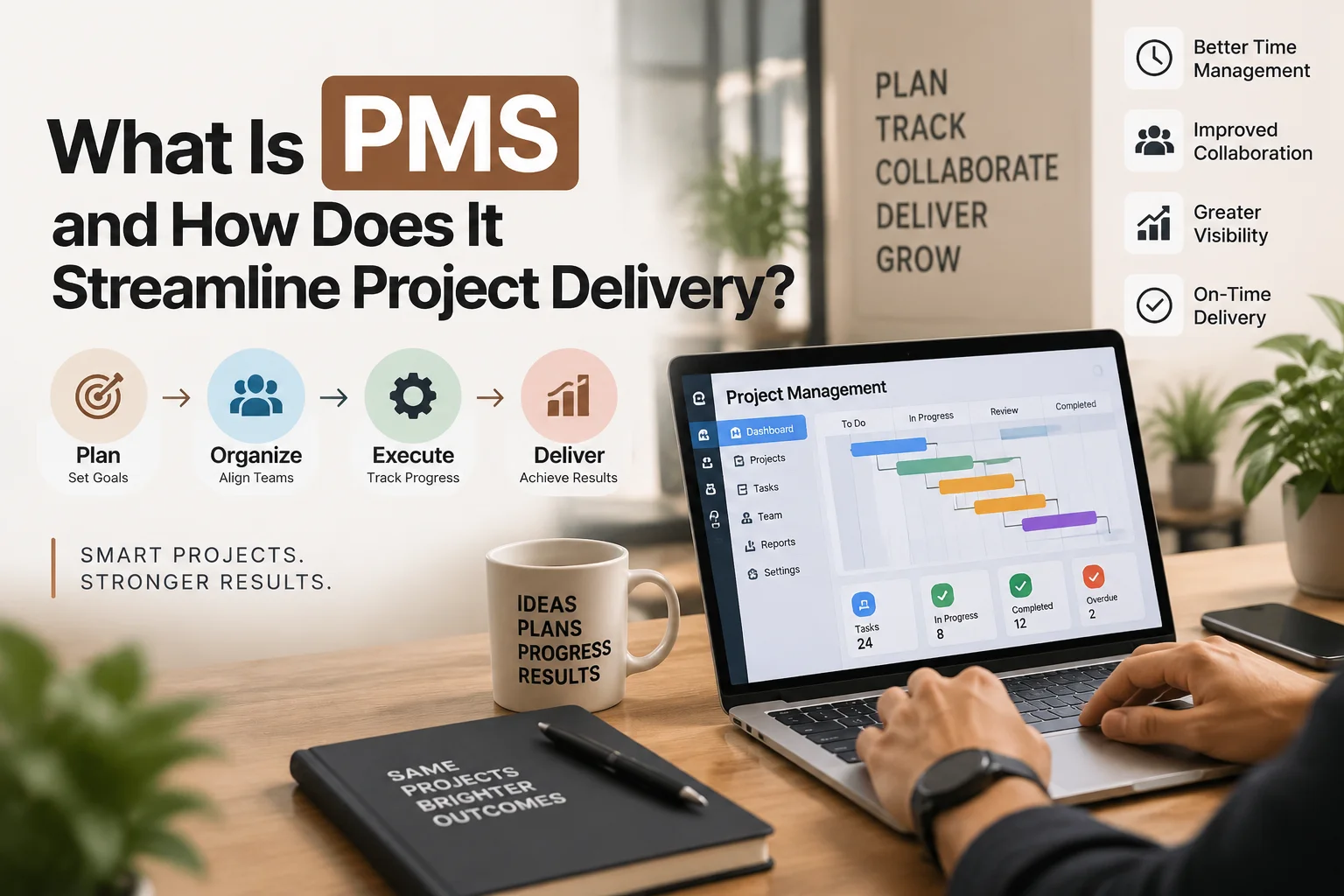
What Is PMS and How Does It Streamline Project Delivery?
A practical guide to planning, coordination, visibility, automation, and smoother project delivery
A project can feel completely under control on day one. The brief is approved, the team is motivated, the deadline seems realistic, and everyone says they know what to do.
Then the project begins moving.
From then on, the project starts to come together.
A designer waits for copy. The copywriter waits for product information. Feedback is given in WhatsApp by the client, and updates are recorded by the project manager in an email. One task is completed, but not approved. 2 players think another player is responsible for the same thing. When the team realizes the delay, it’s too late, and the schedule has already slipped.
A PMS is the tool that is supposed to solve this kind of problem.
PMS: Project Management System. A PMS provides a single, structured location for teams to plan, assign, track, manage, monitor, and control work, and ensures that all parties are working on the same set of information. The value of the PMS is the process that takes place around the tool, not the tool itself, and in many businesses, the PMS is delivered via project management software.
The problem with a good PMS is that it doesn’t make a difficult project easy. It brings the project to light. This visibility enables teams to identify issues earlier, collaborate more effectively, and perform without surprises.
The 30 Second Answer
A PMS (Project Management System) is a system employed to plan and manage the work required to finish a project.
A good PMS integrates tasks, timelines, owners, files, comments, approvals, risks, milestones, and reporting into a common place. The team can see what is happening and what needs to be done, rather than waiting for them to remember it, or having to decipher a bunch of spreadsheets or look through long email threads or wait for a status meeting.
That’s how PMS accelerates the delivery of projects. It eliminates confusion, clarifies accountability, discovers the bottlenecks early, and provides project leaders with more information for decision-making.
The Project Management Institute’s explanation of project management describes the discipline as applying knowledge, skills, tools, and techniques to meet project requirements. A PMS helps turn those principles into a repeatable operating system for day-to-day delivery.
1. What Exactly Is a PMS?
A PMS is more than a digital task list.
In essence, a Project Management System is a blend of processes, information, accountability, and tools utilized to organize and manage project activities. The software is what is seen, but the PMS also contains the rules governing the way the projects are initiated, how tasks are assigned, how changes are approved, how progress is reported, and how work is closed.
That distinction matters because buying software does not automatically create good project management.
A business can invest in a powerful platform and still manage projects badly if nobody updates tasks, priorities are unclear, approvals happen outside the system, and teams ignore agreed workflows.
A well-designed PMS should answer practical questions quickly:
What needs to be done?
Who owns it?
When is it due?
What depends on it?
What has changed?
What is blocked?
What is waiting for approval?
What should management know now?
When the PMS can answer those questions, project delivery becomes much easier to control.
2. Why Projects Become Messy Without a PMS
Most delays do not begin with a dramatic failure. It starts with a little mix-up.
The deadline changes, but one department still follows the old date. The client approves a design and the development team is not able to see the approval. Task completed without informing the next person. There is no update to the schedule, and a new request is added.
These are small individual problems on their own. They result in missed deadlines, redundant work, rushed quality assurance, and unhappy customers.
If PMS wasn’t there, project data can be spread out all over the place in emails, chat apps, spreadsheets, documents, personal notes, and meetings. Teams take the time to look for information rather than do the work.
This is why modern workflow management tools emphasize structured task ownership, visibility, automation, documentation, and collaboration. A PMS is valuable because it makes the movement of work easier to understand.
3. PMS Creates One Source of Truth
Centralization is one of the best advantages of PMS.
A project can contain a short scope document, timeline, budget, client feedback, creative files, meeting notes, risks, approvals, and final deliverables. When these are not all in the same location, members of the team can access outdated information.
A PMS establishes one source of truth for checking the latest project status.
The project manager can have an overview of the project’s status without having to follow up on multiple people, and each team member can locate the latest copy of a file without having to scour through old emails. This will enhance the efficiency of project delivery as it will have been made on the basis of up-to-date information.
4. PMS Turns a Large Goal Into Manageable Work
Projects often sound simple when described only by the final result.
Launch the website.
Deliver the campaign.
Implement the system.
Open the new branch.
These statements describe outcomes, not manageable work.
A PMS enables teams to divide a big deliverable into phases, tasks, milestones, and dependencies. Discovery, content planning, design, development, testing, SEO checks, approval, deployment, and post-launch monitoring are all elements that could be involved in a website launch.
Each stage may then be broken down into tasks, owners, and deadlines.
This makes delivery of the project more realistic in that the team can estimate effort where work actually takes place.
PMS also displays dependencies. The system should demonstrate that development cannot begin until design approval is obtained. The team should have an early view of the impact of a delayed product photo if it impacts three or more tasks.
5. PMS Makes Ownership Clear
Many delays during projects result from one sentence:
“But I thought that someone else was doing it.”
PMS helps minimize that issue by setting up clear ownership.
Make sure that there is someone or a group who is responsible for every important task. The owner should be aware of what is expected, when it is due, and what should happen before it can begin.
There is greater accountability as the ownership is clear and the supervision is not needed. The PMS will provide the answer to “who’s doing what?” without having to repeat it.
The same can be true for risks, decisions, approvals, and client actions for larger projects.
A good PMS isn’t just about displaying the work. Demonstrates responsibility with the work.
6. PMS Protects the Schedule
A deadline is only useful if the team understands what affects it.
The relationships between tasks determine the way the project will be delivered. Copy affects design. Design affects development. Development affects testing. Testing affects launch. A late project can shift the whole project.
A PMS can assist with managing those relationships using timelines, milestones, dependencies, calendars, and tracking them with status.
The schedule is no longer a one-off document, but an ongoing management tool.
A task moving can allow the reviewing of the connected work in a short time, so the team can modify the priorities or escalate the issue before the deadline becomes a crisis.
7. PMS Helps Manage Workload and Resources
A project can be well planned and still fail because the same person is assigned to too much work.
Resource visibility is therefore an important PMS benefit.
Managers need to know who is available, who is overloaded, what skills are required, and where one person has become a bottleneck. Without this information, capacity problems are often discovered only after work is late.
Some modern platforms provide workload balancing capabilities that help managers compare assignments and identify overallocation. The purpose is not to squeeze more work from people. It is to make commitments the available team can actually deliver, while also tracking budgets, vendors, and other resources.
8. PMS Reduces Unnecessary Status Meetings
Teams often schedule meetings because they cannot see project status any other way.
That is a visibility problem.
A PMS can reduce repetitive update meetings by showing task status, recent activity, deadlines, blockers, and completed work in one place.
Meetings can then focus on decisions instead of basic reporting. PMS does not remove human communication. It removes communication that exists only because information is hard to find.
9. PMS Makes Handoffs Cleaner
Projects often slow down between people rather than during the work itself.
A writer finishes copy but does not know who should approve it. A designer completes a file, but the developer does not know the latest version is ready. A campaign waits because billing approval has not been recorded.
These are handoff problems.
A PMS can define what happens when one stage finishes. The next owner can be notified, approval can be requested, files can be attached, and the status can move forward.
For recurring work, this becomes especially valuable.
A marketing team can create a repeatable campaign workflow covering brief approval, keyword research, copy, design, client review, tracking setup, launch, optimization, and reporting.
The campaign changes. The delivery structure does not.
10. PMS Helps Control Scope Creep
Few sentences worry a project manager more than:
“Can we just add one small thing?”
Sometimes the request really is small. Sometimes it changes design, development, testing, budget, and timing.
Scope creep happens when work expands without proper control.
A PMS gives change requests a visible place in the project. The team can record what changed, who requested it, what it affects, whether it is approved, and how the schedule or budget should change.
This does not mean saying no to every request. It means understanding the consequence before saying yes.
PMS turns scope control from an argument into a decision based on evidence.
11. PMS Improves Risk Management
Projects don’t generally go wrong without warning.
The warning signs often exist, but nobody has connected them.
One of the key employees is overworked. There is no confirmation from a supplier for delivery. An important milestone hasn’t been approved by the client. The budget is going by too quickly.
A PMS provides a method for teams to record and track these risks.
Risks may have owners, probability, potential effect, and action to be taken to respond. Risks can be assigned to an owner, have a likelihood, have a potential effect, and have a date of review for what action should be taken to respond. As the information is placed next to the timeline and task plan, project managers can be ready to respond before the issue is urgent.
Another feature of PMS that facilitates project delivery. It enables teams to deal with tomorrow’s issues before they become overwhelming.
12. PMS Makes Client Approvals More Reliable
Client projects often slow down because approvals are informal.
A client tells you that a design is “good” in a message; then asks to make a large number of changes. An old version is viewed by a stakeholder. Conflicting feedback from different decision-makers.
A PMS can provide more structure when approving.
The team can upload the appropriate version, seek comments from identified stakeholders, establish a response timeframe, document comments, and maintain a record of the decision-making process.
This helps to minimize rework as everyone knows the version that is being looked at and what is approved.
13. PMS Makes Reporting Faster
A useful project report should answer management questions.
Are we on schedule?
Are we within budget?
What is complete?
What is at risk?
What decisions are needed?
What changed this week?
A PMS collects much of the information needed to answer these questions as work happens.
Dashboards and reports can show progress, workload, milestones, delays, risks, and other indicators. This reduces the time spent manually building reports from separate spreadsheets.
More importantly, reporting becomes current enough for management to respond while there is still time.
14. PMS Automates Repetitive Work
Every project contains actions that do not require creative judgement.
Notify the next owner.
Create a recurring task.
Move an item after approval.
Remind someone before a deadline.
Create a standard project from a template.
PMS can automate many of these routine actions.
Current project management software guidance emphasizes automation, centralized information, task ownership, dashboards, integrations, and progress tracking as important capabilities.
Automation streamlines project delivery because less time is spent on manual coordination.
It also improves consistency. If every website launch must include tracking checks, SEO review, form testing, mobile testing, and final approval, the PMS can make those steps part of the standard workflow.
15. A Practical Example: A Marketing Campaign Without PMS
Suppose that in six weeks a business introduces a new service.
The campaign setup includes a landing page, SEO content, paid ads, social posts, email marketing, graphics, analytics setup, and a launch report.
If PMS is not available, the team develops a spreadsheet. The copywriter is provided with instructions through email. The designer receives feedback via chat. The developer keeps files in another location. The ads manager waits for the landing page, but he is not aware of the change of the development deadline.
By week four, everyone is busy, but the project is not coordinated.
The challenge is not effort. The problem is visibility.
16. The Same Campaign With PMS
Now put the same campaign in a PMS.
This campaign has 1 project workspace. Deliverables will be assigned to owners and have deadlines. Dependencies indicate that the paid page can only be launched after the landing page and tracking are configured. Attaching the correct task to client approvals.
The team is able to identify when copy, design, development, testing, and approval can progress. Reporting is done on a weekly basis using the same data from the project.
PMS has not eradicated the need for expertise. The copy must still sell. The design still must be functional. The strategy must still be sound.
What PMS takes away is unnecessary coordination friction.
That’s efficient project delivery.
17. What Features Should a Good PMS Have?
There is no single best PMS for every organization.
But not every small marketing team and global engineering company are the same.
Task management, timelines, milestone tracking, dependencies, file sharing, comments, approvals, dashboards, resource views, risk tracking, templates, automation, integrations, permissions, and reporting are all features that can be useful for a PMS.
The system should also be flexible enough to accommodate how the team operates.
Having hundreds of features on a tool doesn’t translate to it being better if no one takes advantage of them. The ease of adoption is important because the use of PMS will only benefit project delivery if the information is kept up to date.
Security and permissions are important as well, particularly in projects that include client information, monetary details, internal plans, and private documents.
18. Signs Your Business May Need PMS
You may need a more structured PMS if projects depend heavily on spreadsheets, memory, and repeated update meetings.
Other signs include unclear ownership, missed handoffs, duplicated work, deadline surprises, scattered files, inconsistent client approvals, poor workload visibility, and difficulty answering simple status questions.
Growth is another sign.
A process that works for five people may become unreliable at twenty. Complexity rises quickly when there are more clients, teams, deliverables, and deadlines.
PMS becomes valuable when coordination itself starts consuming too much time.
19. Common PMS Mistakes
The most common PMS pitfalls are overly complicated, lack of adoption, lack of prioritization, and out-of-date data. People will not use it if it takes more time to update the system than to work. When leaders continue to ask for private updates, team members will find out the team is not really a shared system.
Properly setting priorities is the one thing a PMS should do, not turn into a long list of things that all seem urgent. It is designed to assist delivery and decision making, not to be used as a surveillance tool.
20. How to Implement PMS Without Overwhelming the Team
Start with the problems you need to solve, not a long feature list. Ask where project delivery currently breaks down. Is it ownership, deadlines, approvals, resource conflicts, reporting, files, or scope changes?
Then build simple workflows around one or two project types. Define the stages, owners, required information, and update rules. Train the team using real projects, and agree where feedback belongs, who can change deadlines, and when an approval becomes final.
PMS becomes useful when the organization agrees how to use it.
21. PMS and AI in 2026
PMS platforms are becoming more intelligent.
AI features can help create plans, summarize activity, organize tasks, and reduce routine administration. Microsoft Planner, for example, now combines premium project capabilities with newer AI-based project management features.
These tools can save time, but they do not remove the need for judgement. The future of PMS is not project management without people. It is project management where people spend less time on administration and more time making decisions.
22. PMS FAQs
Is PMS the same as project management software?
They are closely related, but not always identical. Project management software is the digital tool. PMS can refer more broadly to the Project Management System, including processes, roles, workflows, governance, and the software used to manage them.
Can a small business use PMS?
Yes. A small business may benefit from a simple PMS that centralizes tasks, deadlines, owners, files, and client approvals. The system should match the scale of the business.
Does PMS work only for software projects?
No. PMS can support marketing, construction, consulting, events, operations, product launches, research, education, and many other forms of project work.
Can PMS prevent delays?
PMS cannot guarantee that delays will never happen. It can make risks, dependencies, ownership, and schedule changes visible earlier so teams can respond sooner.
What is the biggest benefit of PMS?
For many teams, the biggest benefit is shared visibility. Everyone can see the current plan, responsibilities, progress, and problems in one place.
How does PMS streamline project delivery?
PMS streamlines project delivery by centralizing information, clarifying ownership, managing dependencies, tracking deadlines, controlling changes, supporting communication, automating routine work, and improving reporting.
The Bottom Line
Projects are not difficult only because the work is difficult. They are difficult because people, deadlines, decisions, files, risks, approvals, and dependencies all have to move together.
A PMS gives that complexity a structure.
It helps teams understand what needs to happen, who owns it, what is blocked, what has changed, and what requires a decision. It supports clearer planning, cleaner handoffs, better resource management, stronger approvals, faster reporting, and earlier risk response.
That is how PMS streamlines project delivery.
The goal is not more administration. The goal is less confusion.
A good PMS makes the right work easier to see and easier to move forward.
Further Project Management Resources
Readers who want to explore project management, workflows, scheduling, and delivery in more depth can use the following trusted resources:
- Atlassian, Workflow Management Tools for Project Management
- Atlassian, Agile Project Management Workflows
- Microsoft Support, Project Help and Scheduling Resources
- Asana, Project Management Resources
- Asana, Project Management Software Buyer’s Guide
A Soft Next Step
If your business needs clearer delivery for software, web, integration, or other digital projects, KM Software Services provides custom software, web solutions, integrations, maintenance, and technology support built around reliable workflows. Learn more at KM Software Services.