
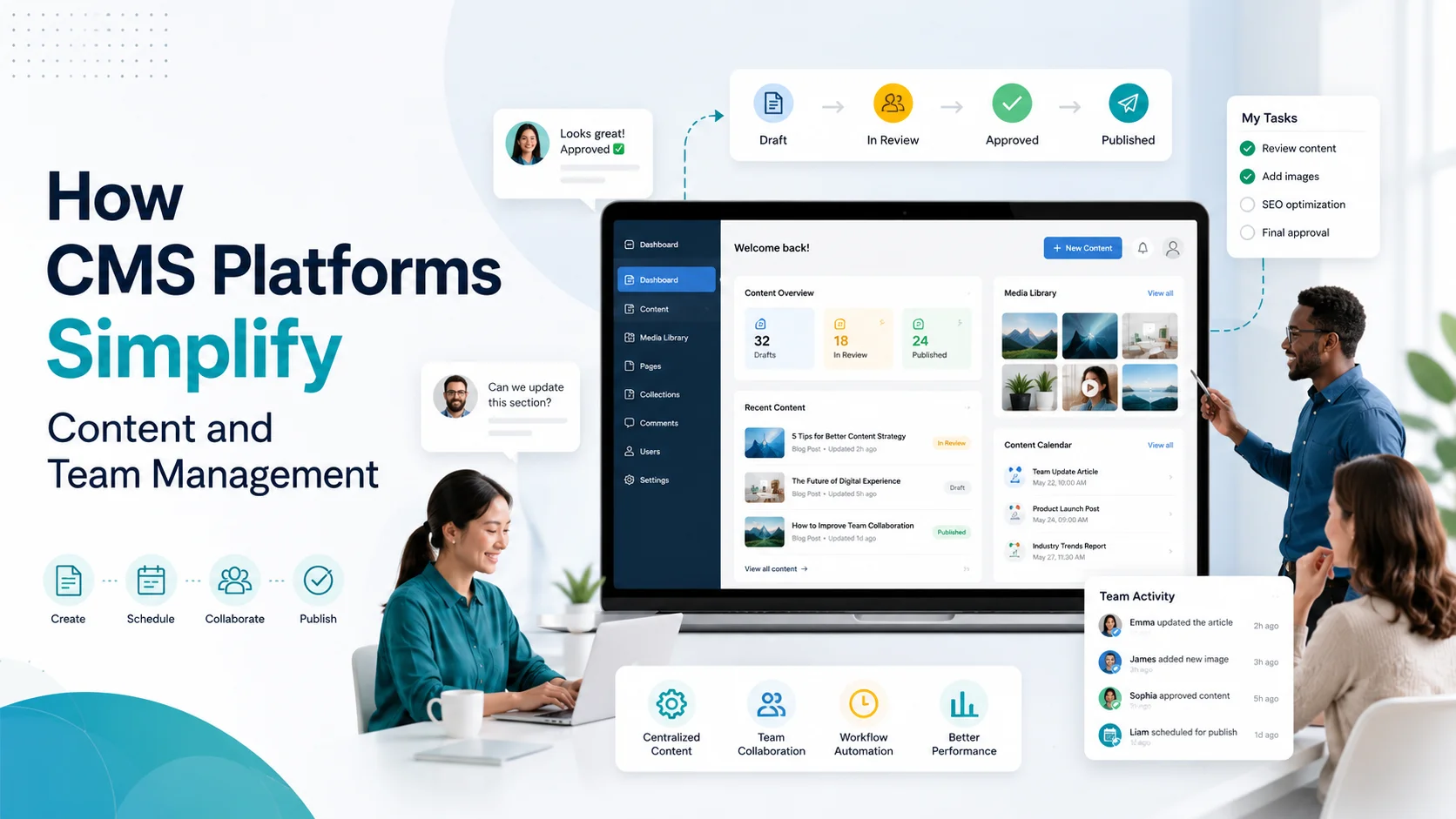
How CMS Platforms Simplify Content and Team Management
A practical 2026 guide to faster publishing, clearer approvals, safer collaboration, and more consistent website content
Your Website Should Not Need a Developer Every Time Someone Changes a Sentence
Picture a growing company with a five-person marketing team. A product manager wants to update a service page. A writer has a new article ready. The legal team needs to approve a claim. A designer wants to replace an outdated image. A regional manager needs to publish a local promotion. Yet every small change is sent to one developer through email, chat messages, spreadsheets, and screenshots.
Nothing is technically broken, but the process is. Content sits in inboxes. Two people edit different versions of the same document. Nobody is sure which headline was approved. A change that should take ten minutes takes three days because the team is waiting for access, clarification, or deployment.
This is exactly the kind of operational problem a content management system, or CMS, is designed to reduce. A good CMS gives non-developers a controlled place to create, edit, review, organize, schedule, and publish digital content while protecting the website structure underneath. It turns website management from a chain of ad hoc requests into a repeatable business process.
Modern CMS platforms also increasingly support defined roles, publishing permissions, revisions, and workflow controls. For example, WordPress documents role-based capabilities, Drupal supports editorial moderation workflows, and enterprise platforms such as Contentful provide team roles and workflow permissions. The result is not simply easier editing. It is better control over who can change what, when it can go live, and how teams recover from mistakes.
1. What a CMS Actually Does for a Business
A CMS is software that separates content management from much of the technical work required to display that content on a website or other digital channel. Instead of opening code files to change a heading, authorized users work through an administrative interface. Depending on the platform, they can create pages, update text, upload images, manage products, organize categories, publish articles, edit metadata, schedule campaigns, and reuse structured content.
The important word is management. A CMS is not only a page editor. The best systems help businesses control the entire content lifecycle: creation, collaboration, review, approval, publishing, updating, archiving, and sometimes distribution across multiple channels.
From Manual Updates to Managed Content
Without a Structured CMS Process | With a Well-Configured CMS | Business Impact |
Changes sent by email or chat | Users edit approved areas directly | Faster turnaround |
Shared administrator password | Named roles and permissions | Better accountability and security |
Files named final-v3-revised | Revision history inside the platform | Fewer version mistakes |
Publishing depends on one person | Defined draft, review, approval, publish steps | Less bottleneck risk |
Formatting differs page by page | Templates and structured fields | More consistent brand experience |
Old pages forgotten after launch | Scheduled reviews and content ownership | More accurate content over time |
2. CMS Platforms Reduce the “Developer Bottleneck”
Developers are valuable because they solve technical problems. They should not become the only people allowed to correct a typo, change an office phone number, replace a staff photograph, or publish a news update. When every content change requires code access or a development ticket, the business creates an unnecessary queue.
A properly configured CMS lets the content team handle routine updates while developers focus on higher-value work such as integrations, performance, security, new features, data architecture, and complex templates. This does not remove developers from the process. It gives each person the right type of work.
For example, a service company can give a marketing editor permission to update service descriptions and case studies, while the developer controls templates and custom code. An e-commerce team can let merchandisers update products and collections without giving them access to sensitive technical settings. Shopify describes this model directly through roles that bundle the permissions a staff member needs for a particular job.
See the official Shopify roles guidance for an example of how an e-commerce platform separates operational responsibilities through permissions.
3. Roles and Permissions Make Team Access Safer
One of the most useful CMS capabilities is role-based access. Instead of giving every employee the same administrator login, the business can decide what each person actually needs to do. This follows a simple principle: give people enough access to complete their work, but not enough to accidentally change unrelated or sensitive areas.
WordPress, for example, includes predefined roles such as Administrator, Editor, Author, Contributor, and Subscriber, each with different capabilities. Webflow now distinguishes roles such as Site manager, Designer, Marketer, Content editor, and Reviewer. Contentful similarly separates roles and can apply permissions to users or teams.
The latest Webflow site roles and permissions documentation shows how access can be separated across design, page building, content editing, review, and publishing. This is useful because team management is not only about convenience. It is also about reducing accidental changes and protecting sensitive controls.
A Practical Permission Model
Team Member | Typical CMS Role | Should Be Able To | Should Usually Not Be Able To |
Writer | Author / Content editor | Draft and edit assigned content | Change templates, users, billing |
Marketing manager | Editor / Marketer | Review, edit, schedule, publish | Modify production code |
Designer | Designer | Update visual components and approved layouts | Manage finance or user administration |
Legal or compliance reviewer | Reviewer | Comment and approve content | Publish or redesign pages |
Developer / technical admin | Administrator | Manage integrations, templates, technical settings | Own routine copy updates |
External agency | Limited collaborator | Work only in agreed areas | Access unrelated sites or sensitive data |
4. Editorial Workflows Replace “Did You Approve This?” Messages
Team publishing becomes risky when approval lives only in memory or scattered messages. A writer sends a document to a manager. The manager replies with one change. A designer edits an older copy. Someone else uploads it. Then the team discovers that the legal wording was never approved.
Workflow-enabled CMS platforms make status visible. Content can move through defined stages such as Draft, In Review, Approved, Scheduled, Published, and Archived. Each stage can have rules about who may edit, move, approve, or publish the item. Drupal’s Content Moderation module is built around this idea, allowing a live published version to remain online while a separate working copy moves through review before replacement.
Drupal explains this model in its Content Moderation overview. Contentful also allows workflow steps with specific editing and publishing rules, which can be useful for larger teams that need formal governance.
The business benefit is simple: status stops being a conversation and becomes part of the system. Anyone with the right access can see whether content is waiting for review, approved for launch, or still being revised.
5. Revisions Make Mistakes Less Expensive
Content teams move fast, and fast teams occasionally make mistakes. A paragraph may be deleted, a product description may be overwritten, or an approved page may be replaced with the wrong version. Without a revision system, recovery can involve searching old emails, restoring a backup, or recreating text from memory.
A CMS can keep a history of saved changes. WordPress revisions allow users to inspect what changed and restore an earlier revision. WordPress also maintains autosaves so an interrupted editing session does not necessarily mean lost work.
Revision history is more than a convenience. It gives teams confidence to work without treating every edit as irreversible. It also improves accountability because managers can understand what changed between versions instead of comparing disconnected files.
6. Structured Content Keeps the Brand Consistent
A common content problem appears when every page is treated as a blank canvas. One employee writes job titles in one format. Another adds dates differently. Product pages use inconsistent headings. Some case studies have customer industries, while others do not. The website gradually becomes harder to maintain because the structure depends on individual habits.
A CMS can solve this with structured content. Instead of asking an editor to design each case study from scratch, the system can provide fields such as Client Name, Industry, Challenge, Solution, Results, Testimonial, Featured Image, and Publication Date. The template controls how those fields appear.
Structured content provides three advantages. First, it speeds up creation because users fill in a predictable form. Second, it protects visual consistency because the template handles presentation. Third, it makes content easier to reuse, filter, search, integrate, or distribute to other channels later.
7. Teams Can Publish Faster Without Sacrificing Design
A good CMS creates a useful separation between content and presentation. Writers should be able to update approved text and images without accidentally breaking a layout. Designers should be able to control components and styles without manually formatting every new article. Developers should be able to improve the system without rewriting routine content.
Webflow describes a current example of this separation in its Content editor guidance, where content editors can update copy, media, and CMS content through a simplified interface while design controls remain restricted.
8. Scheduling Turns Content Into an Operating Calendar
Businesses rarely publish only when somebody remembers. Campaigns have launch dates. Promotions expire. Events need announcements. Product releases need coordinated pages, emails, social posts, and support material. A CMS can help by letting teams prepare content in advance and publish it at a planned time, depending on the platform and workflow configuration.
This changes team management because publishing becomes part of the operating calendar. A manager can see what is coming next week. Writers can prepare material earlier. Reviewers have a clear deadline. The team spends less time asking what is ready and more time improving what will go live.
9. CMS Platforms Create a Single Source of Truth
Many content teams are not actually managing content. They are managing copies of content. A product description exists in a spreadsheet, a brochure, a shared document, the website, a sales deck, and an email template. Every time the price, feature, or wording changes, somebody has to remember all six locations.
A well-designed CMS reduces duplication by becoming the authoritative source for website content, and a structured or headless CMS can go further by making the same content available to multiple digital experiences through APIs. That can be valuable for businesses that need consistent content across websites, mobile apps, kiosks, portals, or regional sites.
10. CMS Tools Improve Remote and Cross-Functional Collaboration
Modern teams are often distributed. The writer may be in one country, the designer in another, the product owner in a third, and the agency in a fourth. A CMS gives those people a shared environment with defined access instead of forcing them to exchange downloadable files.
The best collaboration model depends on the platform. Some systems offer comments, review roles, workflow steps, branch-like editing, or content-specific permissions. In August 2026, Webflow documented collection-specific CMS access that can restrict collaborators to particular content collections on eligible plans. Contentful also supports user and team roles with content-level permissions on qualifying plans.
For examples of granular access, see Webflow CMS collection-specific access and Contentful content permissions.
These capabilities are especially useful when contractors or agencies need temporary access. The business can invite them into the workflow without necessarily opening every area of the website or every internal setting.
11. A CMS Can Support Better SEO Operations
SEO is often described as a specialist activity, but many day-to-day SEO tasks are content-management tasks. Teams need to create useful pages, update titles, improve headings, add internal links, refresh outdated information, manage redirects, publish new articles, and keep content accessible to search engines.
Google Search Central explains that making content search-friendly helps search engines crawl, index, understand, and serve relevant pages. Its SEO documentation also emphasizes secure, fast, accessible, device-friendly websites as part of a sound technical foundation.
A CMS does not automatically create good SEO. Poor templates, weak plugins, duplicate content, slow pages, or bad editorial decisions can still cause problems. But a well-configured CMS makes SEO work more repeatable by giving the team consistent fields, URL patterns, metadata controls, internal linking tools, content templates, and publishing processes.
12. E-Commerce CMS Platforms Connect Content With Operations
For an online store, content management is closely connected to business operations. Product titles, descriptions, images, prices, inventory, collections, promotions, policies, and orders may all be managed in the same ecosystem. That makes permissions especially important because the person writing product copy may not need access to financial reports, customer exports, or sensitive settings.
Shopify explains that permissions can grant or restrict access to specific areas of the business, and those permissions can be grouped into roles. This is a good illustration of how a CMS or commerce platform can reflect real organizational responsibilities rather than giving everyone the same access.
13. AI Makes CMS Governance More Important, Not Less
In 2026, many content workflows include AI for ideation, first drafts, summaries, translation, metadata, image concepts, content classification, or personalization. That can accelerate production, but faster production creates a new management challenge: more content can be generated than humans can responsibly review.
A CMS provides a useful control layer. AI-assisted content can still enter a normal review process. Editors can verify accuracy. Subject experts can check claims. Legal teams can approve regulated language. Brand managers can enforce tone. A draft does not have to become a published page simply because software created it quickly.
This is why the future of content management is not “AI replaces the CMS.” It is more likely that AI works inside or alongside the CMS, while permissions, workflows, structured fields, revision history, and publishing rules provide governance.
14. The CMS Does Not Fix a Bad Content Process by Itself
Buying a powerful CMS does not automatically create an organized team. A business can still build a complicated workflow nobody follows, give too many people administrator access, create hundreds of unnecessary content types, install conflicting plugins, or let outdated content accumulate for years.
The platform is an enabler. The operating model still needs decisions: who owns each content area, who reviews what, which changes require approval, how fast urgent updates should move, when old content is reviewed, who manages users, and what happens when someone leaves the organization.
15. What to Look for in a CMS When Team Management Matters
If several people will manage the website, do not choose a CMS only because the front-end design looks attractive. Evaluate how the system behaves behind the scenes when real employees use it every day.
- Role and permission controls that match real job responsibilities.
- An editing experience that non-technical users can understand.
- Workflow or approval options appropriate to your risk level.
- Revisions, backups, or recovery options for accidental changes.
- Structured content and reusable components for consistency.
- Clear publishing controls, including staging or scheduling where needed.
- Useful media management for images, documents, and brand assets.
- Integration options for CRM, analytics, forms, e-commerce, search, and other systems.
- Multilingual or multi-site support if the business operates across regions.
- Security updates, access logging, and maintainable ownership arrangements.
- Export or migration options so the business is not trapped unnecessarily.
- A total cost that includes licenses, plugins, hosting, maintenance, training, and support.
16. A Realistic Team Example: From Chaos to a Managed Workflow
Consider a B2B company that publishes service pages, case studies, news, technical resources, and job vacancies. Before implementing a CMS workflow, the marketing coordinator sends Word documents to an external developer. The HR manager maintains vacancies in a spreadsheet. Case studies are approved through email. Regional managers occasionally send urgent edits through messaging apps. The website is always one or two weeks behind the business.
The company implements a CMS with five clear roles. Writers can create drafts. Marketing editors can revise and approve general content. HR can manage only the careers collection. Regional managers can propose edits to location pages. The development partner maintains templates, integrations, performance, backups, and technical settings. Only two senior users can publish site-wide structural changes.
Now a case study follows a visible path: Draft, Marketing Review, Subject Expert Review, Approved, Scheduled, Published. The writer does not need server access. The subject expert does not need to understand page design. The developer does not need to copy text from email. The manager can see where the item is delayed. The CMS has not reduced the number of people involved. It has reduced the coordination cost between them.
17. A Simple CMS Workflow for a Growing Business
Stage | Primary Owner | CMS Action | Control Question |
1. Draft | Writer / subject owner | Create content in structured fields | Is the information complete? |
2. Editorial review | Marketing editor | Improve clarity, brand tone, links, metadata | Is it useful and consistent? |
3. Specialist approval | Legal / product / technical expert | Comment or approve | Are the claims accurate and safe? |
4. Final approval | Content manager | Approve and set publish timing | Is this the correct version? |
5. Publish | Authorized publisher / automation | Publish or schedule | Should it be live now? |
6. Maintain | Content owner | Review, update, archive | Is it still accurate and valuable? |
18. How to Implement Better CMS Team Management in 30 Days
You do not need a six-month transformation program to improve content operations. A focused month can remove many of the most common problems.
Week 1: Map the Current Process
List the content types your team manages and identify who currently creates, reviews, approves, publishes, and maintains each one. Note where delays happen. Look for shared passwords, duplicated files, unclear ownership, and tasks that depend on one person.
Week 2: Define Roles and Guardrails
Create a small number of roles based on actual responsibilities. Remove unnecessary administrator access. Decide which users may publish, which may only edit, and which need review-only access. If contractors are involved, give them the narrowest access that still lets them work efficiently.
Week 3: Build the Workflow and Templates
Create content types, templates, approval stages, naming rules, and reusable components. Keep the first workflow simple. Test it with one real article, product page, or campaign before applying it to everything.
Week 4: Train, Measure, Improve
Run a short team training session using real tasks. Measure how long a routine change takes before and after the new workflow. Review permission problems, repeated questions, publishing errors, and bottlenecks. Improve the process based on actual use rather than assumptions.
19. Measure Whether Your CMS Is Actually Simplifying Work
A CMS project should not be judged only by whether the new dashboard looks modern. It should improve measurable business operations. Useful indicators include:
- Average time from content request to publication.
- Number of routine changes requiring developer involvement.
- Percentage of content published on schedule.
- Number of publishing or permission errors.
- Time spent searching for the latest approved version.
- Number of pages with an assigned content owner and review date.
- Frequency of outdated or inconsistent content discovered during audits.
- Training time required for new content team members.
- Volume of content the same team can manage without adding unnecessary coordination.
The goal is not maximum publishing speed at any cost. A regulated organization may deliberately require more review than a small marketing site. Success means the process is as fast as it can responsibly be, with the right checks in the right places.
20. Useful Backlinks for CMS and Team Management
- WordPress: Roles and Capabilities – Understand predefined roles and the tasks each role can perform.
- WordPress: Revisions – See how saved revisions and restoration support safer editing.
- Drupal: Content Moderation – Explore editorial states and review workflows.
- Contentful: Workflows, Roles and Permissions – Review a workflow-oriented model for team permissions.
- Webflow: Site Roles and Permissions – See 2026 role definitions for managers, designers, marketers, editors, and reviewers.
- Shopify: Roles – See how commerce teams can organize staff permissions by job responsibility.
- Google Search Central – Use official search guidance when configuring content and SEO workflows.
The Bottom Line: A Good CMS Is a Team System, Not Just a Website Editor
The biggest value of a CMS is not that it lets someone change text without writing code. Its bigger value is coordination. The right CMS platform gives content a home, gives people defined responsibilities, creates visible approval paths, protects design and sensitive settings, keeps revisions recoverable, and makes publishing a repeatable process instead of a collection of favors and urgent messages.
For a small team, that may mean simple roles and easy editing. For a growing organization, it may mean content models, approval workflows, regional permissions, integrations, multilingual governance, and structured publishing across several digital channels. The correct level of complexity depends on the business, but the objective is the same: let the right people move quickly without losing control.
If your business is struggling with slow website updates, unclear ownership, scattered content, or a CMS that no longer fits the way your team works, KM Software Services can help assess the current setup and design a more practical website and content-management approach. The focus should not be on installing the most complicated platform. It should be on creating a CMS environment that makes everyday work easier, supports your team as it grows, and gives the business a digital foundation it can actually manage.
Content should move through your business with clarity, not friction.